My smart plug shows as a plug. How do I make it show as the device it powers?
Published 16 November 2026
Home Assistant knows the plug, not what you plugged into it. One settings window fixes that in a minute, without any code: a real name, the right icon, and if it is a lamp or a fan, the right kind of device.
Four steps
Step 1: give it the name of the device
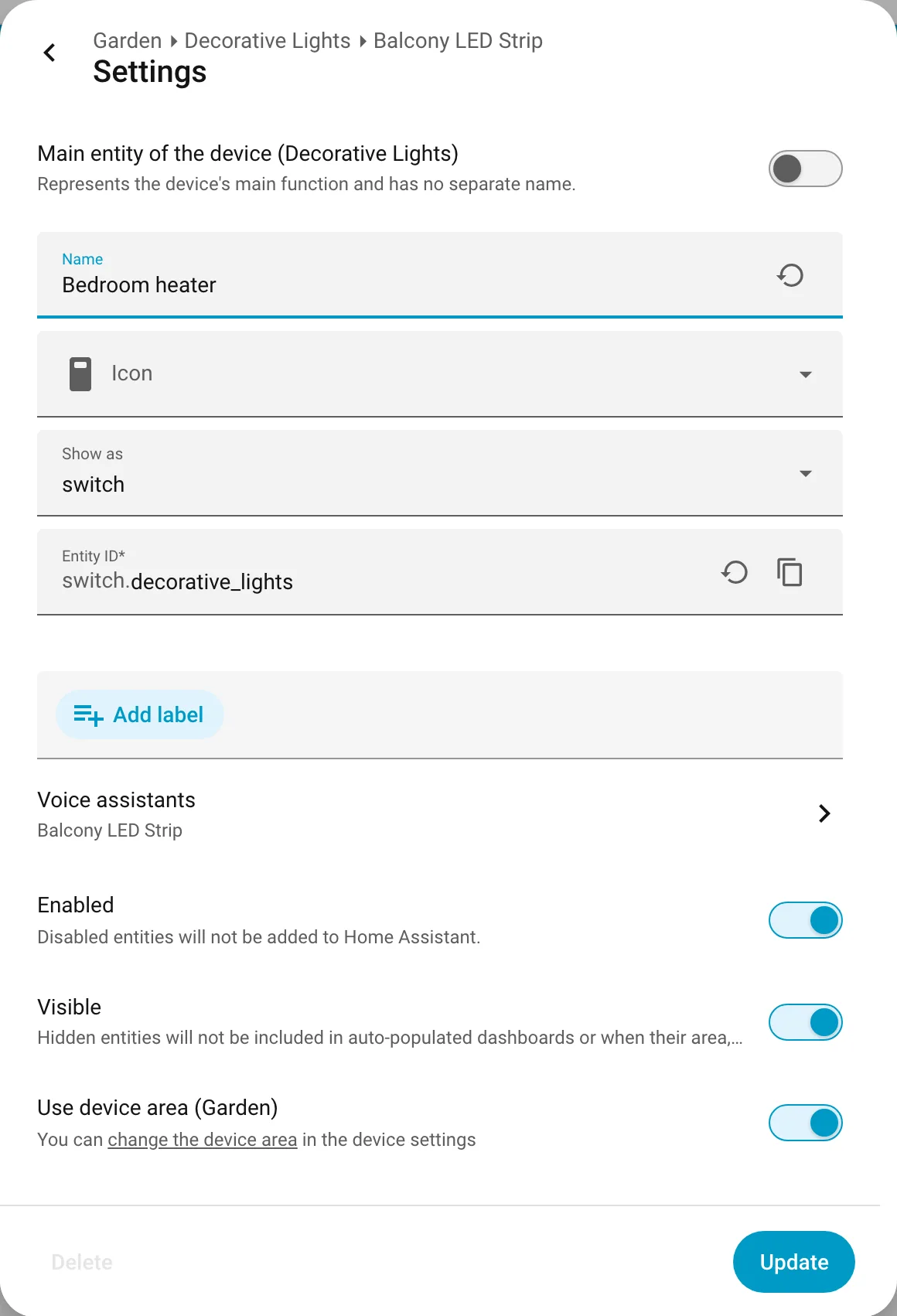
Go to Settings > Devices and services > Entities, find the plug's switch and open it, then select the gear for Settings. Type a name like Bedroom heater and select Update. Your automations keep working, because the entity ID they use does not change.
Step 2: give it the right icon
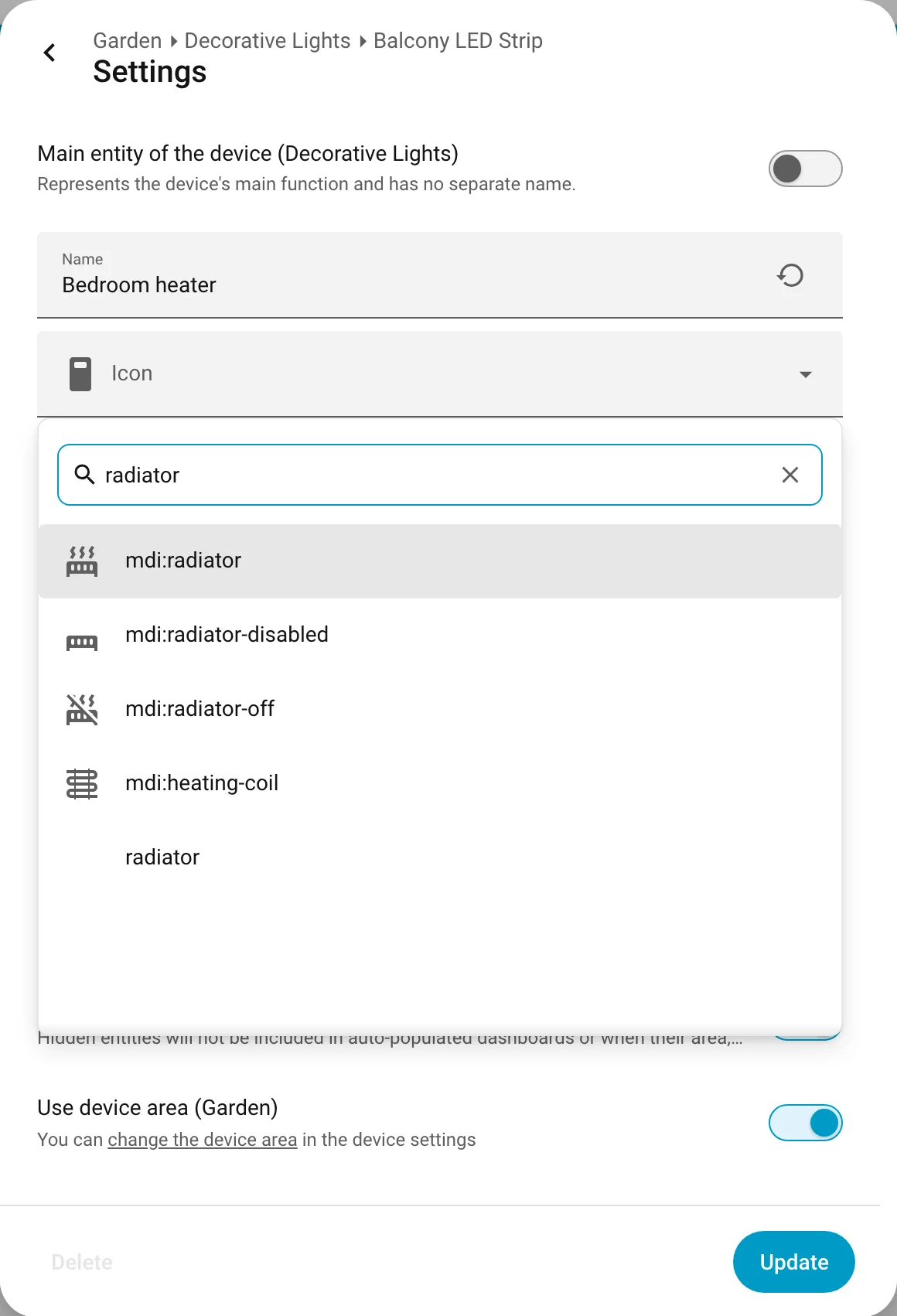
In the same window, open Icon and search for the device, for example radiator for a heater or kettle for a kettle. Pick the icon and select Update.
Step 3: if it powers a lamp or a fan, show it as one
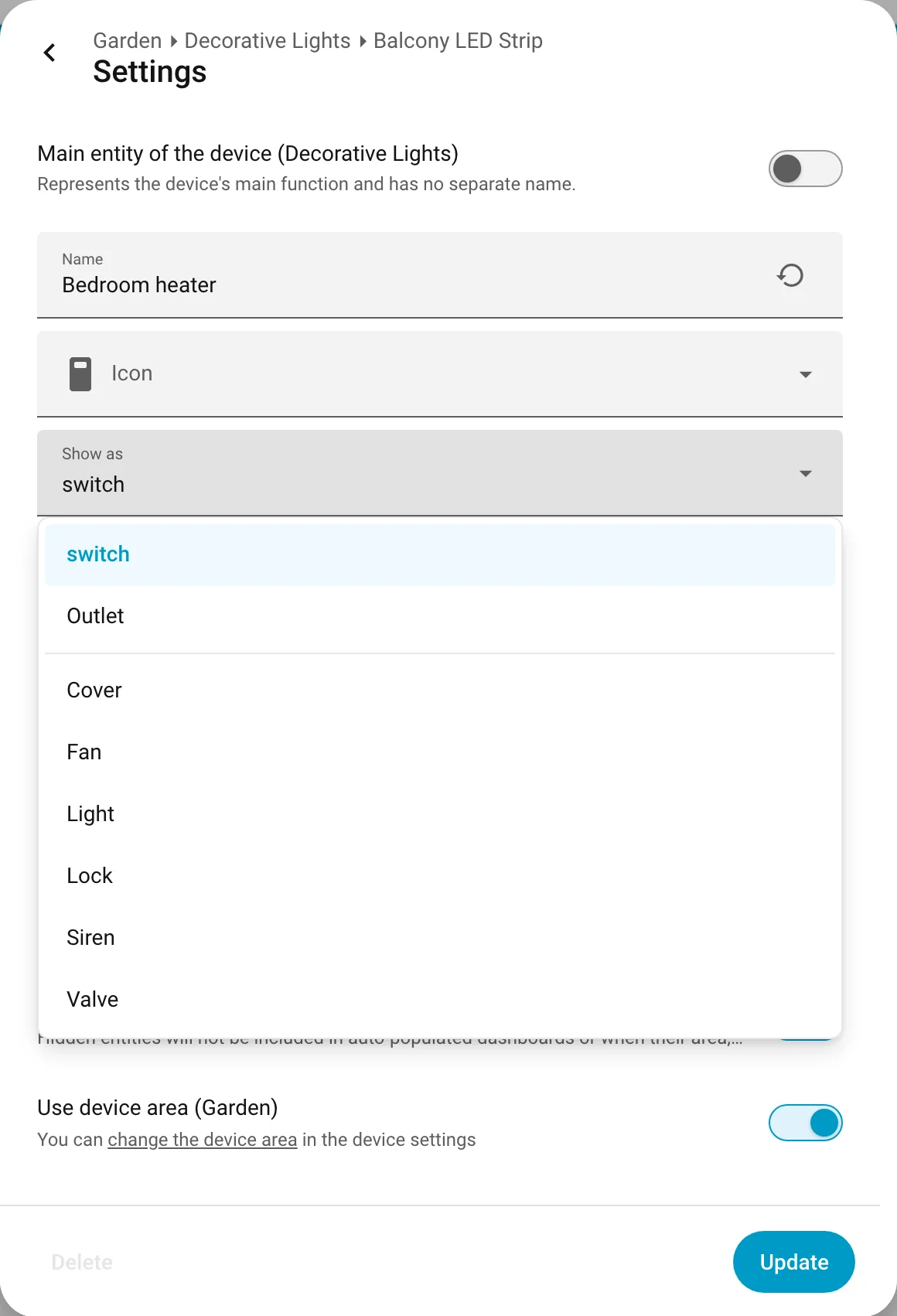
Still in the same window, open Show as. For a plug you can choose Light, Fan, Lock, Cover, Siren or Valve, or Outlet to keep it a plug with an outlet look. Choose Light for a lamp and Home Assistant treats it as a light everywhere: in light groups, in voice assistants and on your dashboards. The original switch is hidden, so it does not show twice. If you change your mind, delete the new light and the switch comes back.
You can do the same from Settings > Devices and services > Helpers > Create helper > Switch as X.
Step 4: put it in the right room
At the bottom of the same window, Use device area shows the room of the plug. To move it, select change the device area, or turn off Use device area and pick a room for this switch only. Now it shows in that room on your dashboard.
Want it to look like the device, not only be named like it?
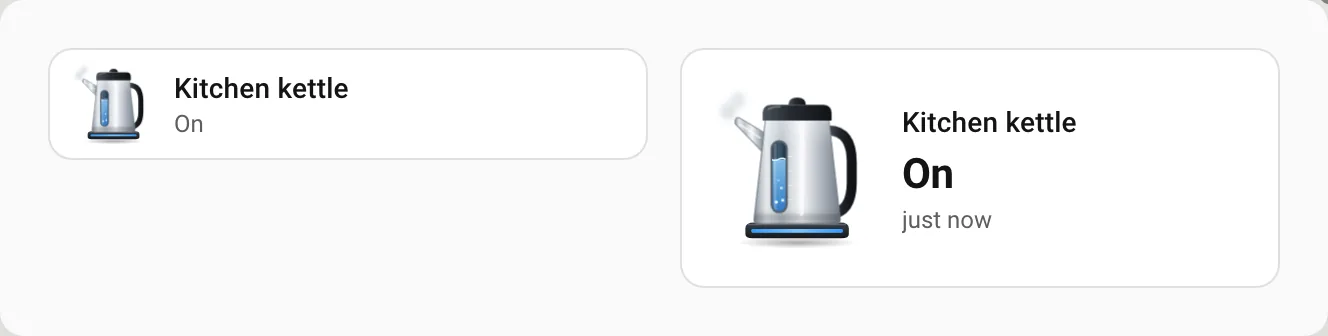
A normal icon can only change colour. If you want the kettle to actually boil on screen while the plug is on, or the fan to spin, you need an animated icon card. Our free Animara sampler has 12 animated devices, including a kettle, a lamp, a plug and a ceiling fan, and you choose the device for any switch, so a plug can show as a kettle with icon: kettle. Find it by searching Animara in HACS or in the Marketplace in Home Assistant 2026.11. The full pack has 307 devices, including heaters and coffee machines. Try them in the live demo at https://animara.io
Questions and answers
Can I change a smart plug into a light in Home Assistant?
Yes. Open the plug's switch, select Settings, open Show as and choose Light. It also works for Fan, Lock, Cover, Siren and Valve.
Will renaming a smart plug break my automations?
No. Changing the name in the entity settings does not change the entity ID that automations use.
What happens to the original switch when I show it as a light?
Home Assistant hides it, so the device does not show twice. Delete the new light and the switch comes back.
Can Home Assistant remember that a heater moved to another plug?
Not yet. In November 2026 the Home Assistant team said device types are planned but will take several releases. Today you rename the new plug.
Sources: www.home-assistant.io · www.home-assistant.io · community.home-assistant.io