Know the moment it is done
The washer display shows a softly breathing green check when the cycle ends. You see it from across the room, no sensor value to read.
307 realistic, animated device icons for Home Assistant. The washer drum turns, the AC breathes out mist. Each icon follows its device by itself.
Recorded from the real icons. Simulated device states.
Words from people who use Animara at home, shared with their permission.
★★★★★
The Icons look amazing and enjoying setting up a new dashboard with them as the basis. The support from Animara has been so good. Nothing seems to be any trouble and has fixed any issues or questions promptly. Keep up the good work as what you have created is great.
★★★★★
I think Animara is the perfect product in the world of Home Assistant dashboards. I have been using Home Assistant for a year, and I researched in depth all the options out there, both in Israel and abroad. Over the last few months I also built several dashboards of my own, following my own instructions, with the help of AI tools. But I admit it: this is a different world, a league of its own. This is perfection!!!!! It is a product that gives the customer solutions in real time, as things happen, and it adapts to the customer's needs. Nothing like it exists in any other product on the market. Other dashboard makers let the customer or user simply put on their product as it is, and so you get the product the creator made! With Animara, the customer gets perfection!!!!! A unique product on the market that adapts itself to the customer's needs. Everyone can change the look of the dashboard the way they like, and change the text of any device, light or room. I did that too. For example, I asked the maker of Animara to add a day and night mode to the basic dashboard, and it was done almost immediately. The product, its level of development and adaptability, and the service I received from the developer are, in my opinion, at a level never seen anywhere in this field. I warmly recommend buying the product at every level. Enjoyment guaranteed!!!!!
Tap any tile to turn it on or off, slide across a light to dim it, switch tabs to see rooms, climate, media and energy.
Simulated devices. Real Animara icons, recorded from the card.
Tap any tile to turn it on or off, slide across a light to dim it, switch tabs to see rooms, climate, media and energy.
Simulated devices. Real Animara icons, recorded from the card.
Tap a light, slide across it to dim, start the fan and the coffee, then switch to Animara Glow. Both looks come with Animara Glass.
Simulated devices. Real Animara icons, recorded from the card.
Keyboard: Tab to move, Enter to switch, arrows to dim, Shift F10 on the island for its zones, Escape to close a window.
This is a real home dashboard with Animara icons in every tile. The taps in the video really operate devices in a real home (waits for devices to respond are trimmed): the espresso machine starts and the coffee flows, a dimmer goes down and up and the glow follows it, a color lamp changes color, the TV and the amplifier wake up and play a song, the air conditioner starts cooling, a fan spins and the blinds move.
A typical icon tells you a device is on. Animara shows what it is actually doing.
Simulated device states. Animara side recorded from the real icons; the left side is a generic static icon for comparison.
Every motion is something the device really does.
The washer display shows a softly breathing green check when the cycle ends. You see it from across the room, no sensor value to read.
The hot tub panel adds up: green when on, plus red while heating, plus blue when the jets run and push the water around.
When the smoke detector alarms, soft grey smoke drifts into it while the ring flashes red. The event itself is part of the icon.
Tap a state to see what the device does. Each state shows real behaviour: water moving, a drum turning, a woofer pumping, smoke drifting into a detector.
Animara Flat: the same devices, calm and colourless. Every motion is kept, strong when a device is on and soft when it is off, and it follows your light or dark theme by itself.
Washing turns the drum through soapy water, rinsing shows clear water, spinning whirls fast, paused lights the detergent drawer amber with two bars, and done shows a softly breathing green check on the display.
The flap opens and soft air mist flows out: cool white for cooling, warm white for heating, a sweeping louver for fan and a thin mist for dry, with the display showing each mode by color and symbol.
Three panel LEDs add up: green when on, plus red while heating with steam rising, plus blue when the jets run and push the water around.
Brewing lights the amber LED, pours two coffee streams into the glass as the crema rises and the pressure needle moves; ready shows a green LED and a full steaming cup.
While playing, the top light ring glows violet and pulses with the woofer pumping to the beat; when paused the ring breathes amber and the woofer rests.
Ceiling smoke alarm: a calm green standby LED when clear; on smoke soft grey wisps drift up into the detector while the ring around the test button flashes red, the horn pulses and the LED turns red.
Docked, the light ring breathes green while charging; cleaning spins the side brushes and pulls dust in; returning blinks the ring and the dock LED blue; error blinks the ring red.
Drying tumbles the clothes in warm air with the amber heat LED lit, cooling turns the drum slowly with the blue cool LED lit (the green power LED stays on while running), and done shows a softly breathing green check on the display.
Off shows a glossy black screen, playing shows a moving colorful scene, and paused freezes and dims the picture with a softly breathing pause bar.
While charging the ring on the display fills up, the top strip and the plug band glow green and a soft light runs down the cable; when done the ring is full and shows a check.
A pop-up sprinkler: when off the head rests flush in its housing; when watering it rises and sweeps jets of water to both sides.
Wooden blades turn slowly on low and fast on high, the glass bowl glows warm when the light is on, and fan plus light can run together.
Boiling sends bubbles up the water window, puffs steam from the spout and lights the blue strip on the base.
Sectional garage door: while opening or closing the panels travel, the warning beacon flashes and the matching arrow lights on the wall control; open shows a clear doorway.
Floor water leak sensor: a green ring when dry; on a leak a puddle spreads around it and the LED ring flashes red.
When producing, the cells turn bright blue with a sheen sweeping across, a soft pulse runs down the cable and the inverter LED glows green.
Video doorbell: a softly breathing blue ring at rest, the button pressing in with a bright pulsing ring when someone rings, and an amber ring with a blinking red record dot on motion.
When lit, the flames flicker over the logs, the embers glow and warm firelight falls on the surround and hearth.
Subwoofer: the status light comes on, and the big driver makes deep, powerful moves while music plays.
A linear pendant with separate down light and up light; the icon shows which one is on, or both.
Follows the cycle: washing spins the spray arm and soft water jets hit the dishes, drying fogs the window with rising steam, and done shows a green check while a clean shine sweeps the glass.
Off leaves the tank dim and still; on lights the water, the fish swim, bubbles rise from the air stone and the plants sway gently.
A wooden sauna cabin: while heating, the stove stones glow, warm air shimmers and amber light shows through the glass door and on the control panel.
Docked it charges with a breathing green light bar; mowing the bar turns blue, the wheels turn and clippings fly out the back; returning the blue bar runs toward the dock while its LED blinks; error blinks the bar red.
A tall matte black ambience light bar on a weighted black base; on glows warm and even along the frosted diffuser and washes the wall behind it, color sends a smooth rainbow gradient flowing up and down the bar and its glow, and scene breathes slowly between two colors.
A tall matte white ambience light bar on a weighted white base; on glows warm and even along the frosted diffuser and washes the wall behind it, color sends a smooth rainbow gradient flowing up and down the bar and its glow, and scene breathes slowly between two colors.
Off shows clear glass and a grey filament; on the glass fills with warm light, the filament glows and a soft halo breathes around it.
A flush ceiling dome; when on, the opal glass glows warm and soft light spills downward.
A brass crystal chandelier; when on, the candle bulbs glow warm and the hanging crystals sparkle with light.
A Christmas tree with a string of colored bulbs that twinkle in sequence and a glowing star on top.
A smart frosted bulb; on fills the glass with light, and color mode slowly cycles hues inside the glass.
A tall slim tube lamp for corners; on lights the whole tube and the wall around it, and gradient mode blends two colors that flow slowly along the tube.
Vertical strands of tiny warm lights hanging like a curtain; on lights every bulb, and twinkle makes them sparkle one by one.
A jointed desk lamp; when on, the bulb glows inside the shade and casts a soft cone of light downward.
A handheld four button dimmer remote (on, brighter, dimmer, off); pressed shows the brighter button pushing in while the status LED flashes.
A recessed downlight; when on, the reflector glows warm and a soft beam shines down.
A vintage amber glass filament bulb; when on, the coiled filaments glow brightly and the glass fills with warm light.
A tripod floor lamp; when on, the fabric shade glows warm and light falls softly down and up.
On the fabric shade turns warm (or the lamp's own color on RGB lights), the bulb lights and a soft cone of light breathes down to the floor.
A dome star projector; when on, its lens glows and casts soft nebula beams with twinkling stars upward from the dome.
A ground spike garden spotlight; when on, the lens lights up and a soft beam rises upward from it.
A flat zoned light strip for behind a TV or along a shelf; on washes the wall in one color, and gradient mode lets several colors flow along the strip zone by zone.
Hanging icicle tubes of different lengths; when on, the tubes glow and drips of light run down each one.
A slim square LED ceiling panel; when on, the whole diffuser glows evenly and soft light spreads below it.
An LED strip in an aluminium profile with an opal diffuser; on glows warm white, and color mode drifts a smooth rainbow along the strip.
A slim upright light bar on a small stand; on washes the wall behind it with light, and color mode sends a shifting hue gradient up the bar and its glow.
A classic clear bulb; when on, the glass fills with warm light and the filament glows.
A small HDMI sync box with a light bar on its front; syncing makes the front bar mirror the flowing screen colors.
On lights the diffuser line warm white and casts a soft breathing beam downward.
A backlit bathroom mirror with a touch switch; when on, a soft halo glows from behind its edge and the switch lights up.
A flexible neon rope bent into a smooth curve; on gives an even glow along the whole rope, and color mode drifts slowly through hues.
A plug in night light with a frosted lens and light sensor; when on, the lens breathes a soft, dim glow.
A round frosted orb on a small wooden base; on fills the orb with soft light and a gentle halo, and color mode drifts slowly through hues.
A wall lantern for outdoors; when on, the candle bulb lights the glass with a gentle warm flicker.
A cone shaped wire light tree for the garden; when on, the lights spiralling around it glow and a soft chase runs up the spiral.
A suspended bar with separate up and down light: down casts warm light below, up washes the ceiling in blue, both light together.
Three small glass globe pendants on one canopy; when on, each globe glows and sheds soft light below it.
A dome pendant that hangs straight; when on, the inside glows and a warm cone of light shines down.
A row of small puck lights mounted under the roof edge; on casts soft light down from every puck, and color mode chases changing colors along the row.
A small rechargeable dome lamp with a carry handle; on lights the dome and casts a soft pool of light, and the battery LEDs on the base show the charge.
A wall rotary dimmer with an LED light ring around the knob: off is dark, dim turns the knob and fills a short warm arc, bright turns it further and fills almost the whole ring with a soft glow.
Off shows a smoked diffuser in a brass ring; on the diffuser glows warm and a soft halo breathes on the ceiling.
A four button scene keypad on a wall plate: idle rests with all keys up, and each scene presses its own key in while its LED and edge glow warm amber.
A smart plug with a cord plugged in; when it is on, the LED ring around the socket and the power button glow green.
A two-pin spotlight bulb with an aluminium body and reflector lens; on lights the lens and sends a focused beam downward.
On lights the honeycomb lens with a warm glow that follows your light color and spreads a soft breathing splash of light across the ceiling.
A ceramic table lamp; when on, the shade glows warm and light spills from its top and bottom.
A ceiling track with three spot heads; when on, each head casts its own soft beam of light.
An LED strip behind a TV; when on, colors flow around the edge and glow softly from behind the screen.
A cylinder wall sconce; when on, it washes soft light both up and down from its open top and bottom.
A wall rocker switch; the rocker never moves, only its LED lights up when the circuit is on.
A linear LED wall washer on brackets; when on, its LEDs light up and a wide, even wash of light fans upward.
When on, the impeller spins under the top grille and the ring glows blue; on high it spins faster and all three speed LEDs light up.
A ceiling exhaust fan whose blades spin fast behind the round grille when it runs.
When on, a faint shimmer of moving air ripples inside the ring and the LED on the base lights blue.
A ceiling cassette whose four louvers open to release soft mist from all four sides: cool white for cooling, warm white for heating and a light swirl of air with swinging louvers for fan, with the corner LED showing the mode.
Off the wooden blades rest; on they spin steadily around the chrome hub.
Five dark wood blades, a bronze motor and a frosted glass globe that glows warm: fan only, light only, or both together.
Three slim graphite blades with a flat LED panel under the motor: fan only, light only, or both together.
Eight slim white blades with an LED ring under the motor: fan only, light only, or both together.
When running, the fan spins and drops fall into the tank making ripples; when the tank is full the fan stops, the tank window blinks red and a warning shows on the display.
A linear ceiling slot vent of a ducted system: the deflector blades open and soft mist falls from both slots, cool white for cooling and warm white for heating.
When on, water runs down the cooling pad, the fan spins behind its grille and soft cool mist flows out, with the tank showing the water level.
A wall thermostat for underfloor heating: while heating, the warm arc lights amber around the floor heating symbol and its heat waves rise.
Gas furnace: when heating, the burner flames light up in the sight glass, the blower turns behind the lower grille and the status LED blinks.
When running, the big fan spins behind the guard and the control window shows three LEDs: green for on, plus amber for heating or blue for cooling.
Heating makes the element glow orange behind the grille, lights the LED and sends warm waves rising from the top.
When on, a soft plume of mist rises from the nozzle and drifts away, bubbles rise in the tank and the base LED glows blue.
A minimalist flush mount fan with three slim blades and an integrated LED ring light; the blades turn slowly on low and blur into a fast spin on high.
When on, flames dance behind the glass door, the pellets in the burn pot glow and the display lights amber.
When heating, hot water enters from the valve side and the columns warm up one after another in a soft amber tint, while the thermostatic head LED glows amber.
Smart floor vent: when open the louvers turn, a soft stream of air rises out and the front LED glows green.
Ceramic tower heater: when heating, the ceramic core glows behind the grille with waves of heat pushed through by the fan, and the display and power LED light amber.
When on, the blades spin behind the guard and a blue LED lights on the base; when oscillating the head turns side to side on its neck and a second LED lights up.
Off shows a dark screen, idle shows white digits that glow softly, a light gliding along the dial and a breathing setpoint dot, heating fills an orange ring with a glowing sun heat symbol like an air conditioner and cooling fills a blue ring with a turning snowflake.
While heating, the chrome rails warm to amber one after another from the bottom up and the LED on the controller glows.
When on, the barrel blower spins behind the front grille, the reflections sweep side to side as the tower oscillates, and the top panel lights blue.
Window AC with side curtains: when cooling the louver opens and soft white mist flows out; in fan mode a gentle airflow comes out and the fan symbol spins on the display.
Cooking lights the window and swirls soft hot air around the fries while the fan icon spins and steam leaves the vent; done shows a green check on the display.
Off shows fruit waiting in the jar; blending spins the blade into a real vortex that whirls the fruit around, and the ring around the dial lights blue.
A bread maker with a lid window: baking shows the dough rising and browning inside the warmly lit chamber, the display counts down in amber and soft steam leaves the lid vent.
Closed shows a green power LED; open lifts the lid and cold mist spills over the rim and sinks down the front; alert blinks the red LED on the control panel.
A burr grinder with a clear bean hopper: grinding spins the burrs in the window, shakes the beans, lights the amber LED and lets fresh grounds fall and pile up in the cup.
Baking glows the top and bottom elements around the pizza with the temperature on the display; air fry also spins the rear fan and swirls hot air, with a fan icon on the display.
A filter coffee maker with a glass carafe: brewing drips coffee from the filter to fill the carafe while the water tank level drops, the display lights and the warming plate LED glows amber.
Cooking lights both drawer windows with hot air swirling over the food while each display counts down together; done shows a green check on both displays.
Steaming fills the clear dome with soft steam around the eggs, puffs from the top vent and lights an amber LED; done turns the ready LED green.
Preheating warms the stone and heating element while the display temperature climbs; baking shows a pizza with bubbling cheese, a glowing element and heat shimmer at the mouth; ready holds a steady glow with a green LED.
Brewing lights the red indicator on the front screen with a seconds timer counting the shot, pours two coffee streams and puffs steam from the wand; ready shows a green indicator and a green check on the screen with a full cup and gentle steam.
Chopping spins the blade in the clear bowl so the vegetable pieces tumble around it, with a blue LED on the base.
A stainless French door fridge with a freezer drawer: open swings both doors to a lit interior, and ice lights the door dispenser blue as cubes drop into the glass.
Closed shows the temperature display; open lights the interior while soft cold air spills out at the bottom; alert means the door was left open, with a blinking red frame and an exclamation mark on the display.
An under sink disposer with a cutaway window: off is dry and still, running spins the grinding plate while water swirls around the chamber.
Churning spins the blade inside the frosted pint as a creamy swirl forms, with a blue ring and countdown; done shows a domed scoop and a green check on the display.
Idle shows a few cubes in the basket; making lights the blue LED and drops fresh cubes into the basket; full lights the green LED with a heaped basket.
Grilling makes the grate and grill marks glow under the steaks with sizzling sparks, soft smoke leaving the lid vent and the temperature lit on the display.
Cooking lights the zones red and the control LED, while the water in the pot simmers with bubbles and steam rises from it.
A centrifugal juicer with its jug: juicing spins the filter basket under the clear cover, lights the green LED and sends juice flowing from the spout to fill the jug.
Running turns the plate under a warm interior light while the timer counts down and the dish steams; done shows a green check on the display, a green start ring and a last wisp of steam.
A glass milk frother on its base: frothing spins the whisk at the bottom, swirls the milk and builds a rising bubbly foam while the base LED glows amber.
Pressure puffs steam from the valve with an amber LED and a countdown; air crisp lights the lid window with hot air circulating over the food and a spinning fan on the display; done shows a green check.
Heating makes the element glow orange with amber display and LED while soft hot air rises from the dish; ready turns the display green once the temperature is reached.
Blending spins the blade so the smoothie forms a swirling vortex in the bottle while the LED ring around the button glows blue.
Pressurizing puffs steam from the valve, raises the pressure pin and runs the timer with an amber LED; done shows a green check, a green LED and a last wisp from the valve.
Light and fan work separately or together: the light state shines both lamps down with an amber button, the fan state spins the fan with blue speed buttons and draws steam up into the filters.
Cooking runs the timer with an orange cook LED while steam rises from the lid vent; keep warm shows bars on the display and a softly breathing amber warm LED.
A fridge with a dark tinted glass panel in the door: view switches on the interior light so the stocked shelves show through the glass with a soft knock ripple, and door open raises a red alert with the interior lit and cold mist spilling out.
Churning turns the auger inside the clear drum so blue icy slush swirls with frost on the tank and a blue power LED; off shows the still syrup.
A French door fridge with a large touchscreen in the door: screen on shows a clock, calendar and shelf camera tiles, door open lights the interior with cold mist and an amber bar on the screen, and dispensing lights the dispenser blue as ice drops.
Cooking warms the heating base so the soup simmers with bubbles rising through the glass jug, steam leaves the lid and the display counts down.
A sous vide circulator clipped to a clear water container: heating shows the temperature in amber while the water swirls around the tank, tiny bubbles rise from the heater and faint vapor lifts off the surface.
A chrome sparkling water tap: sparkling lights the LED ring blue and pours a fizzy stream into the glass, which fills with rising bubbles.
A stand mixer with a glass bowl: mixing lights the green LED, raises the speed lever and spins the whisk around the bowl as the batter folds and whips.
A countertop steam oven with a glass door: steaming lights the chamber and fills it with soft steam around the dish, the display shows the temperature in amber and the steam LED glows blue.
Toasting lowers the lever, makes the slots glow orange with an amber dial ring and soft heat rising; done pops the toast up and turns the ring green.
A round waffle maker: baking lights the amber LED as golden batter shows at the seam and steam escapes from it; done turns the ready LED green with only a light wisp of steam.
A standing water bar: dispensing lights the cold LED and the niche light while a clear stream fills the glass; filter alert blinks the red filter LED.
Closed shows the bottles behind tinted glass with the temperature display; open lights the interior as soft cold air spills out; alert blinks the temperature and LED red.
Fermenting fills the clear lid with a soft warm glow around the jars, condensation beads on the lid and the timer counts down on the display.
Through the glass lid, washing turns the agitator back and forth in soapy water, spinning whirls the drained tub fast with a light vibration, and done shows a green check on the display.
A dryer stacked on a washer, each with its own display and drum: the washer turns its drum through water with a blue display, the dryer tumbles in warm air with an amber display, and both can run at once.
Docked, the LED glows green with a full clear water tank; mopping spins both mop pads under the robot, the water in the tank sloshes and drops, and the LED breathes blue.
Cleaning lights the cyan ring on the turret, spins the side brush and roams gently back and forth.
Idle keeps the LED dark; cleaning spins the two round microfibre pads in opposite directions and the LED bar on top breathes blue.
Alarm keypad with Ready and Armed LEDs: green shield when disarmed, an amber countdown ring while arming, a gently breathing red lock shield when armed, and a flashing red screen when triggered.
Wall door chime: when it rings the light ring around the button pulses blue and the chime tubes vibrate behind the metal grille.
Idle keeps the blue ring around the button breathing; ringing pulses the ring faster and sends blue ripples out from the button across the face.
A smart door lock with a fingerprint sensor: locked rests calm, unlocking sweeps a blue scan line across the sensor, unlocked lights the sensor ring green, and denied flashes the ring red.
A pendant fire sprinkler head: in standby the red glass bulb is intact; when activated the bulb shatters and water blasts onto the deflector, bursting out in a wide umbrella spray with falling droplets.
Modern wooden front door: closed, swung open with a blinking red LED on the smart lock, or locked with a softly glowing green LED.
Ceiling opener: while opening the trolley travels along the rail toward the motor, while closing it travels away, the chain runs and the courtesy light shines down.
Electric sliding gate: while opening it rolls along its track with the amber beacon flashing, and when open the passage is clear and the safety sensor glows green.
A modern house shows the household mode: home with warm lit windows, away with dark windows and a glowing lock on the door, night with dim blue windows and one soft night light, vacation with lights moving room to room to simulate presence, and armed with a red shield glowing in the door panel and a pulsing alarm LED.
Lights off keeps the windows dim; lights on makes both windows glow warm and breathe softly.
Indoor camera on a stand with a privacy shutter: in privacy mode the shutter covers the lens; when live the shutter opens, a glint sweeps the lens and the blue LED glows.
Indoor siren unit: a dark red strobe dome and a small green LED at rest; on alarm the strobe flashes bright red and the horn grille visibly vibrates.
Indoor video intercom: on an incoming call the screen shows the visitor at the door and the answer button pulses green.
The blue sensor eye always breathes softly; awake backlights all twelve keys in pale blue.
Locked keeps the shackle closed with a green ring; unlocked lifts and swings the shackle open, lights the keys blue and blinks the ring red.
Wall-mounted outdoor siren box with a blue and red strobe bar: calm lenses and a green LED at rest; on alarm the strobe alternates blue and red and the horn louvres pulse.
Wall panic button with a big red push button: a calm frosted ring at rest; when pressed the button sinks in and its ring flashes red.
Ceiling PTZ dome camera: the head rests centred with a blue LED; while tracking the head pans smoothly from side to side inside the dome and the IR LEDs around the lens glow.
Fixed bullet camera: blue standby LED, a blinking red LED with a light glint across the lens while recording, and an amber ring around the lens with an amber LED on motion.
Smart key lockbox with a shackle and keypad: locked shows a green LED; open lights the keypad, turns the LED red and drops the lower cover to reveal the key inside.
Smart deadbolt with an LED ring: green when locked, the bolt retracts and the ring blinks amber when unlocked, and when jammed the bolt sticks halfway while the ring and strike plate flash red.
Smart safe with a keypad: locked shows a green LED; unlocked lights the keypad, turns the LED red, retracts the bolts into the door and leaves the door ajar.
Double swing gate: while opening both leaves swing inward on their motor arms with the amber beacon flashing, and when open the safety photocell glows green.
Slim network video recorder with a brushed black front: the display strip is dark with a blue power LED at rest; while recording it shows a tiny four camera grid with a moving scan line, the drive LEDs flicker and the red REC LED blinks.
Motorised shutoff valve on a water pipe with clear flow windows: open keeps the handle along the pipe with water streaming through; closed has the actuator turn the handle across the pipe, the flow stops, the downstream window drains and the LED turns red.
Side hung window: closed, or open with the sash swung outward and the reflection on the glass shifting.
Wall CO detector with a display: it reads 0 with a green LED when clear; on alarm a faint grey haze drifts into it, the red reading on the display climbs and the LED flashes red.
Desktop CO2 monitor: the display shows the ppm reading with a green, amber or red level bar; when the air is poor the bar pulses and a faint stale haze drifts up from the vents.
Magnetic door contact: when the door opens a gap appears between the two sensor parts and the magnet on the frame glows amber.
Wall gas leak detector with a perforated sensor head and three LEDs: green when clear; on a leak a faint yellowish haze drifts into the sensor head, the red LED flashes and the buzzer grille pulses.
Wall glass break sensor: a softly breathing green LED when clear; on a break its microphone grille pulses red, the LED turns red and a shatter sparkle flashes inside the sensor lens.
Round humidity sensor: the display shows a drop and the humidity percentage; the drop fills and the screen turns blue when humid, and almost empties with an amber tint when dry.
PIR motion sensor: when motion is detected a warm heat spot sweeps across the faceted lens like a person walking past, the dome glows and the LED blinks amber.
Soil sensor for plants: green leaves flutter gently on the display when all is well, and when the plant is thirsty the leaves wilt and a water drop blinks.
Small temperature sensor: the display shows a thermometer and reading; it tints red with a rising column when hot, and blue with a low column when cold.
Round vibration sensor: when it feels vibration the whole puck visibly shakes with a soft motion blur and its LED ring flashes amber.
Magnetic window contact: when the window tilts open a gap appears between the sensor parts and the magnet glows amber.
A realistic battery cell with five level bars behind its glass window: green when full or high, amber at half, red when low, one blinking red bar inside a red rim when critical, and while charging the bars fill up one by one as the bolt glows green.
Stacked battery modules with a light strip: idle it holds a soft white level, charging it fills up in green and discharging it drains down in amber.
A load meter beside the main breaker shows demand: under load the circuit LEDs light up and current flows along the bus bar, and when a breaker trips it flips with its LED and the meter blinking red.
A compact solar panel, house, grid pylon and home battery joined by short cables: idle rests calm, and soft light pulses run along the cable that carries power, from the sun to the home, from the sun to the grid, from the grid to the home, or from the battery to the home.
When active the digits count up, the meter disc turns in its window and the pulse LED blinks with consumption.
A clamp meter on the cable: when power is flowing the screen shows a live scrolling power graph, the watt reading and a green LED.
Off the fan rests and the display is dark, heating the fan on top spins and the display shows the water temperature in amber.
Charging fills the level bars in green with light sweeping up, discharging drains them in amber with light sweeping down, and low blinks the last bar, frame and LED red.
When on, the main rocker lights green and the LED ring around each socket lights up one after another.
The sight window and the dial gauge show the tank level as full, half or low, with the liquid gently moving and the needle sitting in the blinking red zone when low.
Idle the display rests in standby, producing the power graph scrolls across the display, the status LED glows green and soft heat shimmers up from the cooling fins.
A rooftop solar collector with a horizontal tank: while heating, the collector tubes run hot amber with water rising into the tank, the tank window warms and the gauge fills; on electric boost the heating element glows and the boost LED lights.
Running shows green bars on the display, a green LED and faint warm exhaust rising; the weekly self test turns the LED amber with an amber progress bar.
When heating, the burner flame lights up in the window, the display shows the temperature in amber and hot water flows down the outlet pipe.
Online shows a green battery and power ring; on battery the display turns amber, the bars drain and the display and ring blink.
When heating, the element in the cutaway window glows, the water warms to amber with rising bubbles, the thermometer climbs and the LED turns amber.
A smart wall switch for an electric water heater: on lights the big button and its full ring, and timer shows the ring counting down with the chosen time LEDs lit.
A phone resting on a charging pad: idle the ring LED glows soft white, charging the ring pulses green and the phone screen shows the charging bolt.
When a bird lands on the perch the camera ring around the lens glows blue and records, while the bird on the perch bobs its head toward the seed tray.
A stone fire pit: when lit, live flames flicker above the logs and small embers drift upward.
A security camera with two floodlights: Light turns the floods on, and Motion lights them at full power while the lens ring glows blue and the red record LED blinks.
On sends jets arcing from the top, water sheets falling from both bowls, drops splashing and the pools shimmering.
The glass roof vent lifts open on its electric actuator, whose rod extends to hold the sash while a green light glows on the actuator.
While watering, water flows from the timer outlet, the display shows a blue drop with the remaining time running down and the status light glows blue.
The wall controller shows which zone is watering: its numbered LED lights blue, the display shows the zone number and a countdown ring runs down the watering time.
A four valve irrigation manifold: the active zone's LED glows blue and water flows from its outlet; Rain delay turns all LEDs amber with no water.
Seen from below, the aluminum louver blades lie flat as a solid roof when closed, turn on edge to let daylight through when open with a green receiver light, and visibly rotate with an amber light while moving.
A classic post mounted mailbox: empty with the flag down and the door shut; with mail the red flag swings up and the door stands slightly open showing letters inside.
Three path bollards: when on, warm light shines through the louvers and pools softly at each base.
A mushroom patio heater: when on, the burner glows and radiant heat falls softly from the reflector.
A pellet smoker with a temperature controller: Smoking sends soft smoke from the chimney over a low ember glow, Searing lights flames under the grates and makes the lid seam glow.
A pond with a stone fountain: when the pump runs, water bubbles from the top, flows down the stones and ripples spread across the pond.
While heating, the big fan spins behind its grille, the display shows the water temperature in amber and the heat light glows.
The controller has two status lights: blue when the pump runs, plus amber when the heater is on; while running the motor fan spins and the water swirls in the clear strainer lid.
A pool cleaning robot on a floating cable: while cleaning the rollers turn, the tracks run, bubbles rise from the outlet and the status LED glows green.
When rain is detected, drops fall onto the sensing dish and bead up with small ripples on its surface while the status light glows blue.
An outdoor speaker disguised as a garden boulder: while playing, the woofer pumps to the beat behind the mesh grille set into its face and a small violet light glows at the base.
While chlorinating, fine bubbles rise off the plates inside the clear cell and drift with the flow, the output bars climb in green on the display and the cell light turns green.
A stake light with its own solar cap: when on, the frosted glass glows warm and casts a soft pool of light around it.
An arc of Edison bulb string lights: when on, the bulbs glow warm with a gentle twinkle running along the string.
A plain wheelie bin: closed with the lid shut, open with the lid lifted back on its hinge over an empty bin, and full with a stuffed bag bulging out so the lid cannot close.
A translucent water tank with a sight gauge on its side: full, half and low show the real water level with a gently moving surface, and filling pours water in from the inlet while the level and the gauge rise.
A ball valve: closed, the lever is across the pipe and the water stands still; open, the lever turns in line, water flows through the sight glass and pours from the spout.
An all in one weather station: in calm the cups turn slowly, in strong wind they spin fast, and in rain the collector and LED turn blue while the gauge level rises.
Lit fills the arched mouth with flickering flames and glowing embers, warm light on the arch and soft smoke from the chimney; baking moves the fire to the side while a flatbread puffs up on the floor.
On lights the red power LED and the display, where blue level bars bounce with the music.
Home theater receiver: the display shows the input when on, and level bars, surround channels and the glowing volume ring come alive while playing.
Compact bookshelf speaker: the status light comes on, and the woofer pumps to the beat while music plays.
Active bookshelf monitors: the volume ring lights up when on, and both woofers pump to the beat while playing.
While playing, the LED ring in the trim lights violet and the cone pumps to the beat behind the grille.
A wooden digital radio: while playing, the display lights up with scrolling text and the speaker cone pumps to the beat.
Floor-standing tower speaker: the status light comes on, and the woofers pump to the beat while music plays.
A matched pair of tower speakers: status lights on, and both sets of woofers pump to the beat in stereo while playing.
When on, the light strips along the console core breathe in violet blue, the power LED turns white and the controller light bar glows violet.
A white one-piece handheld with rounded grips: when on, the screen shows a soft landscape drifting slowly, the face buttons glow violet and the power light turns on.
While playing, the display shows the album art and a filling progress bar, and the power light glows violet.
A pair of floor speakers with the amplifier between them; on lights the amplifier's display and LED, and while playing the cones pulse and the meters move.
Up keeps the fabric rolled inside the case, down shows the screen fully lowered with a green status light, and moving rolls the screen down out of its case with an amber light.
A portable speaker with a carry strap: while playing, the light ring around the woofer glows violet and pulses as the woofer pumps to the beat.
When on, the power LED turns green, the lens glows and a soft flickering beam of light shines out of it.
When on, the screen shows a clock with a ticking colon, a weather tile with a gently pulsing sun and media tiles.
A modern smart speaker wrapped in a fine perforated grille: on shows a calm status light, playing pulses the light while the woofer visibly pumps behind the grille holes, and grouped adds a second light segment; a green strip glows along the base, pulsing with the beat while soft music notes rise out of the speaker.
A small round smart speaker in mesh fabric with a dark glass touch surface on top: on shows a soft white dot, playing turns the surface into a slowly swirling glow of colour while the fabric pulses to the beat, and grouped adds a soft blue ring around the edge of the surface.
While playing, the front display bounces like a violet level meter and both woofers pump to the beat.
Playing lights the colour ring on top, which slowly cycles through hues, while violet sound waves spread out from the speaker.
Hi-fi stereo amplifier: the VU meters light up when on, and the left and right needles dance independently while music plays.
While playing, the play symbol on top of the streamer glows violet and the front LED breathes white.
A square black streaming box with a glossy top; when on, the front light glows white, and while playing a soft sheen slides across the top.
A small HDMI streaming stick: idle keeps the light dark, and while playing the front LED and light bar pulse violet.
Warming makes the vacuum tubes start to glow a faint orange with a blinking amber light; playing brings the tubes to a full glow, lights the VU meter and swings its needle with the music.
A wooden turntable: while playing, the tonearm rests on the record, the platter and record spin with light sheen moving over the grooves, and the power light glows violet.
A light ring on top: while listening a blue light circles around it, and while speaking the whole ring pulses blue.
While printing the nozzle sweeps and the part grows layer by layer with a progress bar on the display; when done the display shows a green check and the fresh print cools with a soft sheen.
A ceiling disc access point with an LED ring: offline a small red status light shows, online the ring glows steady blue, busy a bright arc sweeps around the ring with traffic.
An all in one desktop; when on, the screen lights up with an open window and a blinking cursor.
Off the screen is dark glass, on the screen lights up with app windows whose chart bars move and the keyboard backlight glows.
A pair of mesh Wi-Fi units; offline the LED blinks red, online it is white, and when busy the top light rings pulse blue in turn.
A tiny home server: off the front is dark, on the power button ring glows blue and the activity LED flickers as the disk works.
Offline only the power LED is green and the online LED shows red, online every front LED glows green and the data LEDs flicker with traffic.
A four bay NAS; idle the drive LEDs are green, active they flicker blue and the cooling fan spins.
Idle the power LED and link LEDs glow steady green, active the port LEDs blink in green and amber patterns as data moves.
While printing the page feeds out and the print head moves; low ink shows a blinking red drop on the panel.
Offline the status LED blinks red, online all front LEDs glow green, and during traffic the port LEDs flicker with data.
Idle the front status LED breathes softly green, pairing a blue light sweeps around the ring on top while the front LED pulses blue.
Off the screen is dark glass, on the home screen lights up with app icons and a dock while the wallpaper light slowly drifts.
Retracted keeps the fabric rolled in the cassette, extended shades the window with the valance rippling in the breeze, and moving rolls the fabric in and out; the cassette LED shows green when out and blinks amber while moving.
Idle keeps the parent screen dark; sound shows the baby with live volume bars and a pulsing green ring on the camera; night switches to green night vision with the infrared LEDs glowing.
Closed covers the window with slats; open gathers them at the top to reveal the view with a softly glowing sun; moving raises and lowers the slats.
A young boy in a t-shirt and shorts. On when the room is in use.
Two brothers, a teenager and a younger boy, side by side. On when the room is in use.
Parked rests with all lights off; charging lights the charge port green with a soft pulse sweeping along the front light bar; unlocked flashes the mirror, handle and front lights amber.
The red light bar at the back always glows softly; charging shows a green bolt pulsing on the side of the car.
Closed draws both panels shut; open gathers them to the sides and daylight comes in; moving slides them closed and open.
Idle shows the frame battery with its gauge dark; charging fills the battery's LED bars green one after another.
Upright keeps the footrest folded; reclined tilts the back and holds the footrest out with a breathing green side LED; moving extends the footrest and reclines the back with an amber LED.
Docked rests on the charging base; brushing makes the head vibrate with a blue light on the handle; charging pulses a green light in the base.
Off leaves the console dark; riding spins the chrome flywheel and the crank, and lights the console with rising and falling cadence bars.
Idle holds the counter still; flowing rolls the last counter digit and spins the small red test dial as gas is used.
A young girl in a dress. On when the room is in use.
Off rests the rollers at the top; massage moves the roller pair up and down inside the backrest and lights the LED strip on the side panel warm amber.
Away keeps the ring grey; home lights the ring green with a soft sensing glow pulsing in the radar lens.
Idle keeps the camera LED dark; tossing lights the amber LED ring around the lens and treats drop out of the chute.
Closed hangs the smoked flap still; open swings the flap with a green light; locked slides the lock switch red and the red light beats slowly.
Idle shows a full hopper with a green status bar; feeding drops kibble from the chute to fill the bowl while the bar glows blue; empty leaves hopper and bowl bare with the bar blinking red.
Off holds still water in the bowl; flowing brings water up through the top dish and over its rim, down the tower into the bowl with spreading ripples, and the pump LED glows blue.
Closed lowers the aluminium slats over the window; open rolls them up into the box; moving raises and lowers the shutter continuously.
Off leaves the monitor dark; rowing spins the flywheel inside its round housing and lights the monitor with stroke bars, while the seat stays put.
Idle shows a green status light; cleaning rotates the globe while the litter stays level and the light strip glows blue; full blinks the strip and light red when the waste drawer needs emptying.
Two sisters, a teenager and a younger girl, side by side. On when the room is in use.
Closed, the glazed sash lies flat on its curb; open lifts the sash on its electric actuator arm to reveal the opening, and the rain sensor LED breathes blue.
Idle keeps the basket still; rocking gently sways the mesh basket on its base and turns on a soft warm night light under the base.
Empty shows a made bed; occupied raises the duvet gently with calm breathing and a green light; heating warms the mattress with a soft amber glow and an amber light.
Idle rests with a grey ring; pressed pushes the cap down while the light ring around it flashes blue.
Off is a plain reflective mirror; on lights a clock, temperature, an agenda list and an activity ring inside the glass with a soft glow.
Idle keeps the display dark; weighing lights the display, the digits count up until the weight settles and the glass edge glows softly blue.
Idle parks the seat with a green LED on the armrest; moving drives the seat carriage up and down along the rail with the LED breathing amber.
Idle shows a calm controller with a green light; pumping pushes water up the clear riser while the float drops; alarm raises the float high and turns the controller red with a blinking light.
A teenage boy. On when the room is in use.
A teenage girl with a ponytail. On when the room is in use.
Off leaves the console dark; running moves the belt, lights the console and the speed bars rise and fall.
Closed shows the wooden slats shut; open tilts them flat so daylight comes through; moving raises and lowers the whole blind.
Off leaves the screen black; on shows a small home dashboard with light, climate and media tiles and a live energy graph.
Idle holds the star wheel and counter still; flowing spins the star wheel under a blue tint and rolls the last counter digit.
Idle shows the time on the control head; regenerating lifts the resin bed as water churns and rises through the window, the brine level drops and an amber bar tracks progress.
A living sky inside a glass weather window: sun with soft bloom and god rays, layered volumetric clouds drifting in parallax with silver linings, rain at several depths with splash ripples, a storm whose lightning lights the clouds from inside, drifting snow, rolling mist over a faint horizon, clouds and leaves streaming in the wind, and a moonlit night with a twinkling star field and an occasional shooting star.
Sunny turns the sun rays slowly; partly cloudy adds a drifting cloud; cloudy shows the cloud alone; rain adds falling drops; night shows a breathing moon, with a cloud when cloudy.
Washing turns the drum through soapy water, rinsing shows clear water, spinning whirls fast, paused lights the detergent drawer amber with two bars, and done shows a softly breathing green check on the display.
The flap opens and soft air mist flows out: cool white for cooling, warm white for heating, a sweeping louver for fan and a thin mist for dry, with the display showing each mode by color and symbol.
Three panel LEDs add up: green when on, plus red while heating with steam rising, plus blue when the jets run and push the water around.
Brewing lights the amber LED, pours two coffee streams into the glass as the crema rises and the pressure needle moves; ready shows a green LED and a full steaming cup.
While playing, the top light ring glows violet and pulses with the woofer pumping to the beat; when paused the ring breathes amber and the woofer rests.
Ceiling smoke alarm: a calm green standby LED when clear; on smoke soft grey wisps drift up into the detector while the ring around the test button flashes red, the horn pulses and the LED turns red.
Docked, the light ring breathes green while charging; cleaning spins the side brushes and pulls dust in; returning blinks the ring and the dock LED blue; error blinks the ring red.
Drying tumbles the clothes in warm air with the amber heat LED lit, cooling turns the drum slowly with the blue cool LED lit (the green power LED stays on while running), and done shows a softly breathing green check on the display.
Off shows a glossy black screen, playing shows a moving colorful scene, and paused freezes and dims the picture with a softly breathing pause bar.
While charging the ring on the display fills up, the top strip and the plug band glow green and a soft light runs down the cable; when done the ring is full and shows a check.
A pop-up sprinkler: when off the head rests flush in its housing; when watering it rises and sweeps jets of water to both sides.
Wooden blades turn slowly on low and fast on high, the glass bowl glows warm when the light is on, and fan plus light can run together.
Boiling sends bubbles up the water window, puffs steam from the spout and lights the blue strip on the base.
Sectional garage door: while opening or closing the panels travel, the warning beacon flashes and the matching arrow lights on the wall control; open shows a clear doorway.
Floor water leak sensor: a green ring when dry; on a leak a puddle spreads around it and the LED ring flashes red.
When producing, the cells turn bright blue with a sheen sweeping across, a soft pulse runs down the cable and the inverter LED glows green.
Video doorbell: a softly breathing blue ring at rest, the button pressing in with a bright pulsing ring when someone rings, and an amber ring with a blinking red record dot on motion.
When lit, the flames flicker over the logs, the embers glow and warm firelight falls on the surround and hearth.
Subwoofer: the status light comes on, and the big driver makes deep, powerful moves while music plays.
A linear pendant with separate down light and up light; the icon shows which one is on, or both.
Follows the cycle: washing spins the spray arm and soft water jets hit the dishes, drying fogs the window with rising steam, and done shows a green check while a clean shine sweeps the glass.
Off leaves the tank dim and still; on lights the water, the fish swim, bubbles rise from the air stone and the plants sway gently.
A wooden sauna cabin: while heating, the stove stones glow, warm air shimmers and amber light shows through the glass door and on the control panel.
Docked it charges with a breathing green light bar; mowing the bar turns blue, the wheels turn and clippings fly out the back; returning the blue bar runs toward the dock while its LED blinks; error blinks the bar red.
A tall matte black ambience light bar on a weighted black base; on glows warm and even along the frosted diffuser and washes the wall behind it, color sends a smooth rainbow gradient flowing up and down the bar and its glow, and scene breathes slowly between two colors.
A tall matte white ambience light bar on a weighted white base; on glows warm and even along the frosted diffuser and washes the wall behind it, color sends a smooth rainbow gradient flowing up and down the bar and its glow, and scene breathes slowly between two colors.
Off shows clear glass and a grey filament; on the glass fills with warm light, the filament glows and a soft halo breathes around it.
A flush ceiling dome; when on, the opal glass glows warm and soft light spills downward.
A brass crystal chandelier; when on, the candle bulbs glow warm and the hanging crystals sparkle with light.
A Christmas tree with a string of colored bulbs that twinkle in sequence and a glowing star on top.
A smart frosted bulb; on fills the glass with light, and color mode slowly cycles hues inside the glass.
A tall slim tube lamp for corners; on lights the whole tube and the wall around it, and gradient mode blends two colors that flow slowly along the tube.
Vertical strands of tiny warm lights hanging like a curtain; on lights every bulb, and twinkle makes them sparkle one by one.
A jointed desk lamp; when on, the bulb glows inside the shade and casts a soft cone of light downward.
A handheld four button dimmer remote (on, brighter, dimmer, off); pressed shows the brighter button pushing in while the status LED flashes.
A recessed downlight; when on, the reflector glows warm and a soft beam shines down.
A vintage amber glass filament bulb; when on, the coiled filaments glow brightly and the glass fills with warm light.
A tripod floor lamp; when on, the fabric shade glows warm and light falls softly down and up.
On the fabric shade turns warm (or the lamp's own color on RGB lights), the bulb lights and a soft cone of light breathes down to the floor.
A dome star projector; when on, its lens glows and casts soft nebula beams with twinkling stars upward from the dome.
A ground spike garden spotlight; when on, the lens lights up and a soft beam rises upward from it.
A flat zoned light strip for behind a TV or along a shelf; on washes the wall in one color, and gradient mode lets several colors flow along the strip zone by zone.
Hanging icicle tubes of different lengths; when on, the tubes glow and drips of light run down each one.
A slim square LED ceiling panel; when on, the whole diffuser glows evenly and soft light spreads below it.
An LED strip in an aluminium profile with an opal diffuser; on glows warm white, and color mode drifts a smooth rainbow along the strip.
A slim upright light bar on a small stand; on washes the wall behind it with light, and color mode sends a shifting hue gradient up the bar and its glow.
A classic clear bulb; when on, the glass fills with warm light and the filament glows.
A small HDMI sync box with a light bar on its front; syncing makes the front bar mirror the flowing screen colors.
On lights the diffuser line warm white and casts a soft breathing beam downward.
A backlit bathroom mirror with a touch switch; when on, a soft halo glows from behind its edge and the switch lights up.
A flexible neon rope bent into a smooth curve; on gives an even glow along the whole rope, and color mode drifts slowly through hues.
A plug in night light with a frosted lens and light sensor; when on, the lens breathes a soft, dim glow.
A round frosted orb on a small wooden base; on fills the orb with soft light and a gentle halo, and color mode drifts slowly through hues.
A wall lantern for outdoors; when on, the candle bulb lights the glass with a gentle warm flicker.
A cone shaped wire light tree for the garden; when on, the lights spiralling around it glow and a soft chase runs up the spiral.
A suspended bar with separate up and down light: down casts warm light below, up washes the ceiling in blue, both light together.
Three small glass globe pendants on one canopy; when on, each globe glows and sheds soft light below it.
A dome pendant that hangs straight; when on, the inside glows and a warm cone of light shines down.
A row of small puck lights mounted under the roof edge; on casts soft light down from every puck, and color mode chases changing colors along the row.
A small rechargeable dome lamp with a carry handle; on lights the dome and casts a soft pool of light, and the battery LEDs on the base show the charge.
A wall rotary dimmer with an LED light ring around the knob: off is dark, dim turns the knob and fills a short warm arc, bright turns it further and fills almost the whole ring with a soft glow.
Off shows a smoked diffuser in a brass ring; on the diffuser glows warm and a soft halo breathes on the ceiling.
A four button scene keypad on a wall plate: idle rests with all keys up, and each scene presses its own key in while its LED and edge glow warm amber.
A smart plug with a cord plugged in; when it is on, the LED ring around the socket and the power button glow green.
A two-pin spotlight bulb with an aluminium body and reflector lens; on lights the lens and sends a focused beam downward.
On lights the honeycomb lens with a warm glow that follows your light color and spreads a soft breathing splash of light across the ceiling.
A ceramic table lamp; when on, the shade glows warm and light spills from its top and bottom.
A ceiling track with three spot heads; when on, each head casts its own soft beam of light.
An LED strip behind a TV; when on, colors flow around the edge and glow softly from behind the screen.
A cylinder wall sconce; when on, it washes soft light both up and down from its open top and bottom.
A wall rocker switch; the rocker never moves, only its LED lights up when the circuit is on.
A linear LED wall washer on brackets; when on, its LEDs light up and a wide, even wash of light fans upward.
When on, the impeller spins under the top grille and the ring glows blue; on high it spins faster and all three speed LEDs light up.
A ceiling exhaust fan whose blades spin fast behind the round grille when it runs.
When on, a faint shimmer of moving air ripples inside the ring and the LED on the base lights blue.
A ceiling cassette whose four louvers open to release soft mist from all four sides: cool white for cooling, warm white for heating and a light swirl of air with swinging louvers for fan, with the corner LED showing the mode.
Off the wooden blades rest; on they spin steadily around the chrome hub.
Five dark wood blades, a bronze motor and a frosted glass globe that glows warm: fan only, light only, or both together.
Three slim graphite blades with a flat LED panel under the motor: fan only, light only, or both together.
Eight slim white blades with an LED ring under the motor: fan only, light only, or both together.
When running, the fan spins and drops fall into the tank making ripples; when the tank is full the fan stops, the tank window blinks red and a warning shows on the display.
A linear ceiling slot vent of a ducted system: the deflector blades open and soft mist falls from both slots, cool white for cooling and warm white for heating.
When on, water runs down the cooling pad, the fan spins behind its grille and soft cool mist flows out, with the tank showing the water level.
A wall thermostat for underfloor heating: while heating, the warm arc lights amber around the floor heating symbol and its heat waves rise.
Gas furnace: when heating, the burner flames light up in the sight glass, the blower turns behind the lower grille and the status LED blinks.
When running, the big fan spins behind the guard and the control window shows three LEDs: green for on, plus amber for heating or blue for cooling.
Heating makes the element glow orange behind the grille, lights the LED and sends warm waves rising from the top.
When on, a soft plume of mist rises from the nozzle and drifts away, bubbles rise in the tank and the base LED glows blue.
A minimalist flush mount fan with three slim blades and an integrated LED ring light; the blades turn slowly on low and blur into a fast spin on high.
When on, flames dance behind the glass door, the pellets in the burn pot glow and the display lights amber.
When heating, hot water enters from the valve side and the columns warm up one after another in a soft amber tint, while the thermostatic head LED glows amber.
Smart floor vent: when open the louvers turn, a soft stream of air rises out and the front LED glows green.
Ceramic tower heater: when heating, the ceramic core glows behind the grille with waves of heat pushed through by the fan, and the display and power LED light amber.
When on, the blades spin behind the guard and a blue LED lights on the base; when oscillating the head turns side to side on its neck and a second LED lights up.
Off shows a dark screen, idle shows white digits that glow softly, a light gliding along the dial and a breathing setpoint dot, heating fills an orange ring with a glowing sun heat symbol like an air conditioner and cooling fills a blue ring with a turning snowflake.
While heating, the chrome rails warm to amber one after another from the bottom up and the LED on the controller glows.
When on, the barrel blower spins behind the front grille, the reflections sweep side to side as the tower oscillates, and the top panel lights blue.
Window AC with side curtains: when cooling the louver opens and soft white mist flows out; in fan mode a gentle airflow comes out and the fan symbol spins on the display.
Cooking lights the window and swirls soft hot air around the fries while the fan icon spins and steam leaves the vent; done shows a green check on the display.
Off shows fruit waiting in the jar; blending spins the blade into a real vortex that whirls the fruit around, and the ring around the dial lights blue.
A bread maker with a lid window: baking shows the dough rising and browning inside the warmly lit chamber, the display counts down in amber and soft steam leaves the lid vent.
Closed shows a green power LED; open lifts the lid and cold mist spills over the rim and sinks down the front; alert blinks the red LED on the control panel.
A burr grinder with a clear bean hopper: grinding spins the burrs in the window, shakes the beans, lights the amber LED and lets fresh grounds fall and pile up in the cup.
Baking glows the top and bottom elements around the pizza with the temperature on the display; air fry also spins the rear fan and swirls hot air, with a fan icon on the display.
A filter coffee maker with a glass carafe: brewing drips coffee from the filter to fill the carafe while the water tank level drops, the display lights and the warming plate LED glows amber.
Cooking lights both drawer windows with hot air swirling over the food while each display counts down together; done shows a green check on both displays.
Steaming fills the clear dome with soft steam around the eggs, puffs from the top vent and lights an amber LED; done turns the ready LED green.
Preheating warms the stone and heating element while the display temperature climbs; baking shows a pizza with bubbling cheese, a glowing element and heat shimmer at the mouth; ready holds a steady glow with a green LED.
Brewing lights the red indicator on the front screen with a seconds timer counting the shot, pours two coffee streams and puffs steam from the wand; ready shows a green indicator and a green check on the screen with a full cup and gentle steam.
Chopping spins the blade in the clear bowl so the vegetable pieces tumble around it, with a blue LED on the base.
A stainless French door fridge with a freezer drawer: open swings both doors to a lit interior, and ice lights the door dispenser blue as cubes drop into the glass.
Closed shows the temperature display; open lights the interior while soft cold air spills out at the bottom; alert means the door was left open, with a blinking red frame and an exclamation mark on the display.
An under sink disposer with a cutaway window: off is dry and still, running spins the grinding plate while water swirls around the chamber.
Churning spins the blade inside the frosted pint as a creamy swirl forms, with a blue ring and countdown; done shows a domed scoop and a green check on the display.
Idle shows a few cubes in the basket; making lights the blue LED and drops fresh cubes into the basket; full lights the green LED with a heaped basket.
Grilling makes the grate and grill marks glow under the steaks with sizzling sparks, soft smoke leaving the lid vent and the temperature lit on the display.
Cooking lights the zones red and the control LED, while the water in the pot simmers with bubbles and steam rises from it.
A centrifugal juicer with its jug: juicing spins the filter basket under the clear cover, lights the green LED and sends juice flowing from the spout to fill the jug.
Running turns the plate under a warm interior light while the timer counts down and the dish steams; done shows a green check on the display, a green start ring and a last wisp of steam.
A glass milk frother on its base: frothing spins the whisk at the bottom, swirls the milk and builds a rising bubbly foam while the base LED glows amber.
Pressure puffs steam from the valve with an amber LED and a countdown; air crisp lights the lid window with hot air circulating over the food and a spinning fan on the display; done shows a green check.
Heating makes the element glow orange with amber display and LED while soft hot air rises from the dish; ready turns the display green once the temperature is reached.
Blending spins the blade so the smoothie forms a swirling vortex in the bottle while the LED ring around the button glows blue.
Pressurizing puffs steam from the valve, raises the pressure pin and runs the timer with an amber LED; done shows a green check, a green LED and a last wisp from the valve.
Light and fan work separately or together: the light state shines both lamps down with an amber button, the fan state spins the fan with blue speed buttons and draws steam up into the filters.
Cooking runs the timer with an orange cook LED while steam rises from the lid vent; keep warm shows bars on the display and a softly breathing amber warm LED.
A fridge with a dark tinted glass panel in the door: view switches on the interior light so the stocked shelves show through the glass with a soft knock ripple, and door open raises a red alert with the interior lit and cold mist spilling out.
Churning turns the auger inside the clear drum so blue icy slush swirls with frost on the tank and a blue power LED; off shows the still syrup.
A French door fridge with a large touchscreen in the door: screen on shows a clock, calendar and shelf camera tiles, door open lights the interior with cold mist and an amber bar on the screen, and dispensing lights the dispenser blue as ice drops.
Cooking warms the heating base so the soup simmers with bubbles rising through the glass jug, steam leaves the lid and the display counts down.
A sous vide circulator clipped to a clear water container: heating shows the temperature in amber while the water swirls around the tank, tiny bubbles rise from the heater and faint vapor lifts off the surface.
A chrome sparkling water tap: sparkling lights the LED ring blue and pours a fizzy stream into the glass, which fills with rising bubbles.
A stand mixer with a glass bowl: mixing lights the green LED, raises the speed lever and spins the whisk around the bowl as the batter folds and whips.
A countertop steam oven with a glass door: steaming lights the chamber and fills it with soft steam around the dish, the display shows the temperature in amber and the steam LED glows blue.
Toasting lowers the lever, makes the slots glow orange with an amber dial ring and soft heat rising; done pops the toast up and turns the ring green.
A round waffle maker: baking lights the amber LED as golden batter shows at the seam and steam escapes from it; done turns the ready LED green with only a light wisp of steam.
A standing water bar: dispensing lights the cold LED and the niche light while a clear stream fills the glass; filter alert blinks the red filter LED.
Closed shows the bottles behind tinted glass with the temperature display; open lights the interior as soft cold air spills out; alert blinks the temperature and LED red.
Fermenting fills the clear lid with a soft warm glow around the jars, condensation beads on the lid and the timer counts down on the display.
Through the glass lid, washing turns the agitator back and forth in soapy water, spinning whirls the drained tub fast with a light vibration, and done shows a green check on the display.
A dryer stacked on a washer, each with its own display and drum: the washer turns its drum through water with a blue display, the dryer tumbles in warm air with an amber display, and both can run at once.
Docked, the LED glows green with a full clear water tank; mopping spins both mop pads under the robot, the water in the tank sloshes and drops, and the LED breathes blue.
Cleaning lights the cyan ring on the turret, spins the side brush and roams gently back and forth.
Idle keeps the LED dark; cleaning spins the two round microfibre pads in opposite directions and the LED bar on top breathes blue.
Alarm keypad with Ready and Armed LEDs: green shield when disarmed, an amber countdown ring while arming, a gently breathing red lock shield when armed, and a flashing red screen when triggered.
Wall door chime: when it rings the light ring around the button pulses blue and the chime tubes vibrate behind the metal grille.
Idle keeps the blue ring around the button breathing; ringing pulses the ring faster and sends blue ripples out from the button across the face.
A smart door lock with a fingerprint sensor: locked rests calm, unlocking sweeps a blue scan line across the sensor, unlocked lights the sensor ring green, and denied flashes the ring red.
A pendant fire sprinkler head: in standby the red glass bulb is intact; when activated the bulb shatters and water blasts onto the deflector, bursting out in a wide umbrella spray with falling droplets.
Modern wooden front door: closed, swung open with a blinking red LED on the smart lock, or locked with a softly glowing green LED.
Ceiling opener: while opening the trolley travels along the rail toward the motor, while closing it travels away, the chain runs and the courtesy light shines down.
Electric sliding gate: while opening it rolls along its track with the amber beacon flashing, and when open the passage is clear and the safety sensor glows green.
A modern house shows the household mode: home with warm lit windows, away with dark windows and a glowing lock on the door, night with dim blue windows and one soft night light, vacation with lights moving room to room to simulate presence, and armed with a red shield glowing in the door panel and a pulsing alarm LED.
Lights off keeps the windows dim; lights on makes both windows glow warm and breathe softly.
Indoor camera on a stand with a privacy shutter: in privacy mode the shutter covers the lens; when live the shutter opens, a glint sweeps the lens and the blue LED glows.
Indoor siren unit: a dark red strobe dome and a small green LED at rest; on alarm the strobe flashes bright red and the horn grille visibly vibrates.
Indoor video intercom: on an incoming call the screen shows the visitor at the door and the answer button pulses green.
The blue sensor eye always breathes softly; awake backlights all twelve keys in pale blue.
Locked keeps the shackle closed with a green ring; unlocked lifts and swings the shackle open, lights the keys blue and blinks the ring red.
Wall-mounted outdoor siren box with a blue and red strobe bar: calm lenses and a green LED at rest; on alarm the strobe alternates blue and red and the horn louvres pulse.
Wall panic button with a big red push button: a calm frosted ring at rest; when pressed the button sinks in and its ring flashes red.
Ceiling PTZ dome camera: the head rests centred with a blue LED; while tracking the head pans smoothly from side to side inside the dome and the IR LEDs around the lens glow.
Fixed bullet camera: blue standby LED, a blinking red LED with a light glint across the lens while recording, and an amber ring around the lens with an amber LED on motion.
Smart key lockbox with a shackle and keypad: locked shows a green LED; open lights the keypad, turns the LED red and drops the lower cover to reveal the key inside.
Smart deadbolt with an LED ring: green when locked, the bolt retracts and the ring blinks amber when unlocked, and when jammed the bolt sticks halfway while the ring and strike plate flash red.
Smart safe with a keypad: locked shows a green LED; unlocked lights the keypad, turns the LED red, retracts the bolts into the door and leaves the door ajar.
Double swing gate: while opening both leaves swing inward on their motor arms with the amber beacon flashing, and when open the safety photocell glows green.
Slim network video recorder with a brushed black front: the display strip is dark with a blue power LED at rest; while recording it shows a tiny four camera grid with a moving scan line, the drive LEDs flicker and the red REC LED blinks.
Motorised shutoff valve on a water pipe with clear flow windows: open keeps the handle along the pipe with water streaming through; closed has the actuator turn the handle across the pipe, the flow stops, the downstream window drains and the LED turns red.
Side hung window: closed, or open with the sash swung outward and the reflection on the glass shifting.
Wall CO detector with a display: it reads 0 with a green LED when clear; on alarm a faint grey haze drifts into it, the red reading on the display climbs and the LED flashes red.
Desktop CO2 monitor: the display shows the ppm reading with a green, amber or red level bar; when the air is poor the bar pulses and a faint stale haze drifts up from the vents.
Magnetic door contact: when the door opens a gap appears between the two sensor parts and the magnet on the frame glows amber.
Wall gas leak detector with a perforated sensor head and three LEDs: green when clear; on a leak a faint yellowish haze drifts into the sensor head, the red LED flashes and the buzzer grille pulses.
Wall glass break sensor: a softly breathing green LED when clear; on a break its microphone grille pulses red, the LED turns red and a shatter sparkle flashes inside the sensor lens.
Round humidity sensor: the display shows a drop and the humidity percentage; the drop fills and the screen turns blue when humid, and almost empties with an amber tint when dry.
PIR motion sensor: when motion is detected a warm heat spot sweeps across the faceted lens like a person walking past, the dome glows and the LED blinks amber.
Soil sensor for plants: green leaves flutter gently on the display when all is well, and when the plant is thirsty the leaves wilt and a water drop blinks.
Small temperature sensor: the display shows a thermometer and reading; it tints red with a rising column when hot, and blue with a low column when cold.
Round vibration sensor: when it feels vibration the whole puck visibly shakes with a soft motion blur and its LED ring flashes amber.
Magnetic window contact: when the window tilts open a gap appears between the sensor parts and the magnet glows amber.
A realistic battery cell with five level bars behind its glass window: green when full or high, amber at half, red when low, one blinking red bar inside a red rim when critical, and while charging the bars fill up one by one as the bolt glows green.
Stacked battery modules with a light strip: idle it holds a soft white level, charging it fills up in green and discharging it drains down in amber.
A load meter beside the main breaker shows demand: under load the circuit LEDs light up and current flows along the bus bar, and when a breaker trips it flips with its LED and the meter blinking red.
A compact solar panel, house, grid pylon and home battery joined by short cables: idle rests calm, and soft light pulses run along the cable that carries power, from the sun to the home, from the sun to the grid, from the grid to the home, or from the battery to the home.
When active the digits count up, the meter disc turns in its window and the pulse LED blinks with consumption.
A clamp meter on the cable: when power is flowing the screen shows a live scrolling power graph, the watt reading and a green LED.
Off the fan rests and the display is dark, heating the fan on top spins and the display shows the water temperature in amber.
Charging fills the level bars in green with light sweeping up, discharging drains them in amber with light sweeping down, and low blinks the last bar, frame and LED red.
When on, the main rocker lights green and the LED ring around each socket lights up one after another.
The sight window and the dial gauge show the tank level as full, half or low, with the liquid gently moving and the needle sitting in the blinking red zone when low.
Idle the display rests in standby, producing the power graph scrolls across the display, the status LED glows green and soft heat shimmers up from the cooling fins.
A rooftop solar collector with a horizontal tank: while heating, the collector tubes run hot amber with water rising into the tank, the tank window warms and the gauge fills; on electric boost the heating element glows and the boost LED lights.
Running shows green bars on the display, a green LED and faint warm exhaust rising; the weekly self test turns the LED amber with an amber progress bar.
When heating, the burner flame lights up in the window, the display shows the temperature in amber and hot water flows down the outlet pipe.
Online shows a green battery and power ring; on battery the display turns amber, the bars drain and the display and ring blink.
When heating, the element in the cutaway window glows, the water warms to amber with rising bubbles, the thermometer climbs and the LED turns amber.
A smart wall switch for an electric water heater: on lights the big button and its full ring, and timer shows the ring counting down with the chosen time LEDs lit.
A phone resting on a charging pad: idle the ring LED glows soft white, charging the ring pulses green and the phone screen shows the charging bolt.
When a bird lands on the perch the camera ring around the lens glows blue and records, while the bird on the perch bobs its head toward the seed tray.
A stone fire pit: when lit, live flames flicker above the logs and small embers drift upward.
A security camera with two floodlights: Light turns the floods on, and Motion lights them at full power while the lens ring glows blue and the red record LED blinks.
On sends jets arcing from the top, water sheets falling from both bowls, drops splashing and the pools shimmering.
The glass roof vent lifts open on its electric actuator, whose rod extends to hold the sash while a green light glows on the actuator.
While watering, water flows from the timer outlet, the display shows a blue drop with the remaining time running down and the status light glows blue.
The wall controller shows which zone is watering: its numbered LED lights blue, the display shows the zone number and a countdown ring runs down the watering time.
A four valve irrigation manifold: the active zone's LED glows blue and water flows from its outlet; Rain delay turns all LEDs amber with no water.
Seen from below, the aluminum louver blades lie flat as a solid roof when closed, turn on edge to let daylight through when open with a green receiver light, and visibly rotate with an amber light while moving.
A classic post mounted mailbox: empty with the flag down and the door shut; with mail the red flag swings up and the door stands slightly open showing letters inside.
Three path bollards: when on, warm light shines through the louvers and pools softly at each base.
A mushroom patio heater: when on, the burner glows and radiant heat falls softly from the reflector.
A pellet smoker with a temperature controller: Smoking sends soft smoke from the chimney over a low ember glow, Searing lights flames under the grates and makes the lid seam glow.
A pond with a stone fountain: when the pump runs, water bubbles from the top, flows down the stones and ripples spread across the pond.
While heating, the big fan spins behind its grille, the display shows the water temperature in amber and the heat light glows.
The controller has two status lights: blue when the pump runs, plus amber when the heater is on; while running the motor fan spins and the water swirls in the clear strainer lid.
A pool cleaning robot on a floating cable: while cleaning the rollers turn, the tracks run, bubbles rise from the outlet and the status LED glows green.
When rain is detected, drops fall onto the sensing dish and bead up with small ripples on its surface while the status light glows blue.
An outdoor speaker disguised as a garden boulder: while playing, the woofer pumps to the beat behind the mesh grille set into its face and a small violet light glows at the base.
While chlorinating, fine bubbles rise off the plates inside the clear cell and drift with the flow, the output bars climb in green on the display and the cell light turns green.
A stake light with its own solar cap: when on, the frosted glass glows warm and casts a soft pool of light around it.
An arc of Edison bulb string lights: when on, the bulbs glow warm with a gentle twinkle running along the string.
A plain wheelie bin: closed with the lid shut, open with the lid lifted back on its hinge over an empty bin, and full with a stuffed bag bulging out so the lid cannot close.
A translucent water tank with a sight gauge on its side: full, half and low show the real water level with a gently moving surface, and filling pours water in from the inlet while the level and the gauge rise.
A ball valve: closed, the lever is across the pipe and the water stands still; open, the lever turns in line, water flows through the sight glass and pours from the spout.
An all in one weather station: in calm the cups turn slowly, in strong wind they spin fast, and in rain the collector and LED turn blue while the gauge level rises.
Lit fills the arched mouth with flickering flames and glowing embers, warm light on the arch and soft smoke from the chimney; baking moves the fire to the side while a flatbread puffs up on the floor.
On lights the red power LED and the display, where blue level bars bounce with the music.
Home theater receiver: the display shows the input when on, and level bars, surround channels and the glowing volume ring come alive while playing.
Compact bookshelf speaker: the status light comes on, and the woofer pumps to the beat while music plays.
Active bookshelf monitors: the volume ring lights up when on, and both woofers pump to the beat while playing.
While playing, the LED ring in the trim lights violet and the cone pumps to the beat behind the grille.
A wooden digital radio: while playing, the display lights up with scrolling text and the speaker cone pumps to the beat.
Floor-standing tower speaker: the status light comes on, and the woofers pump to the beat while music plays.
A matched pair of tower speakers: status lights on, and both sets of woofers pump to the beat in stereo while playing.
When on, the light strips along the console core breathe in violet blue, the power LED turns white and the controller light bar glows violet.
A white one-piece handheld with rounded grips: when on, the screen shows a soft landscape drifting slowly, the face buttons glow violet and the power light turns on.
While playing, the display shows the album art and a filling progress bar, and the power light glows violet.
A pair of floor speakers with the amplifier between them; on lights the amplifier's display and LED, and while playing the cones pulse and the meters move.
Up keeps the fabric rolled inside the case, down shows the screen fully lowered with a green status light, and moving rolls the screen down out of its case with an amber light.
A portable speaker with a carry strap: while playing, the light ring around the woofer glows violet and pulses as the woofer pumps to the beat.
When on, the power LED turns green, the lens glows and a soft flickering beam of light shines out of it.
When on, the screen shows a clock with a ticking colon, a weather tile with a gently pulsing sun and media tiles.
A modern smart speaker wrapped in a fine perforated grille: on shows a calm status light, playing pulses the light while the woofer visibly pumps behind the grille holes, and grouped adds a second light segment; a green strip glows along the base, pulsing with the beat while soft music notes rise out of the speaker.
While playing, the front display bounces like a violet level meter and both woofers pump to the beat.
Playing lights the colour ring on top, which slowly cycles through hues, while violet sound waves spread out from the speaker.
Hi-fi stereo amplifier: the VU meters light up when on, and the left and right needles dance independently while music plays.
While playing, the play symbol on top of the streamer glows violet and the front LED breathes white.
A square black streaming box with a glossy top; when on, the front light glows white, and while playing a soft sheen slides across the top.
A small HDMI streaming stick: idle keeps the light dark, and while playing the front LED and light bar pulse violet.
Warming makes the vacuum tubes start to glow a faint orange with a blinking amber light; playing brings the tubes to a full glow, lights the VU meter and swings its needle with the music.
A wooden turntable: while playing, the tonearm rests on the record, the platter and record spin with light sheen moving over the grooves, and the power light glows violet.
A light ring on top: while listening a blue light circles around it, and while speaking the whole ring pulses blue.
While printing the nozzle sweeps and the part grows layer by layer with a progress bar on the display; when done the display shows a green check and the fresh print cools with a soft sheen.
A ceiling disc access point with an LED ring: offline a small red status light shows, online the ring glows steady blue, busy a bright arc sweeps around the ring with traffic.
An all in one desktop; when on, the screen lights up with an open window and a blinking cursor.
Off the screen is dark glass, on the screen lights up with app windows whose chart bars move and the keyboard backlight glows.
A pair of mesh Wi-Fi units; offline the LED blinks red, online it is white, and when busy the top light rings pulse blue in turn.
A tiny home server: off the front is dark, on the power button ring glows blue and the activity LED flickers as the disk works.
Offline only the power LED is green and the online LED shows red, online every front LED glows green and the data LEDs flicker with traffic.
A four bay NAS; idle the drive LEDs are green, active they flicker blue and the cooling fan spins.
Idle the power LED and link LEDs glow steady green, active the port LEDs blink in green and amber patterns as data moves.
While printing the page feeds out and the print head moves; low ink shows a blinking red drop on the panel.
Offline the status LED blinks red, online all front LEDs glow green, and during traffic the port LEDs flicker with data.
Idle the front status LED breathes softly green, pairing a blue light sweeps around the ring on top while the front LED pulses blue.
Off the screen is dark glass, on the home screen lights up with app icons and a dock while the wallpaper light slowly drifts.
Retracted keeps the fabric rolled in the cassette, extended shades the window with the valance rippling in the breeze, and moving rolls the fabric in and out; the cassette LED shows green when out and blinks amber while moving.
Idle keeps the parent screen dark; sound shows the baby with live volume bars and a pulsing green ring on the camera; night switches to green night vision with the infrared LEDs glowing.
Closed covers the window with slats; open gathers them at the top to reveal the view with a softly glowing sun; moving raises and lowers the slats.
Parked rests with all lights off; charging lights the charge port green with a soft pulse sweeping along the front light bar; unlocked flashes the mirror, handle and front lights amber.
The red light bar at the back always glows softly; charging shows a green bolt pulsing on the side of the car.
Closed draws both panels shut; open gathers them to the sides and daylight comes in; moving slides them closed and open.
Idle shows the frame battery with its gauge dark; charging fills the battery's LED bars green one after another.
Upright keeps the footrest folded; reclined tilts the back and holds the footrest out with a breathing green side LED; moving extends the footrest and reclines the back with an amber LED.
Docked rests on the charging base; brushing makes the head vibrate with a blue light on the handle; charging pulses a green light in the base.
Off leaves the console dark; riding spins the chrome flywheel and the crank, and lights the console with rising and falling cadence bars.
Idle holds the counter still; flowing rolls the last counter digit and spins the small red test dial as gas is used.
Off rests the rollers at the top; massage moves the roller pair up and down inside the backrest and lights the LED strip on the side panel warm amber.
Away keeps the ring grey; home lights the ring green with a soft sensing glow pulsing in the radar lens.
Idle keeps the camera LED dark; tossing lights the amber LED ring around the lens and treats drop out of the chute.
Closed hangs the smoked flap still; open swings the flap with a green light; locked slides the lock switch red and the red light beats slowly.
Idle shows a full hopper with a green status bar; feeding drops kibble from the chute to fill the bowl while the bar glows blue; empty leaves hopper and bowl bare with the bar blinking red.
Off holds still water in the bowl; flowing brings water up through the top dish and over its rim, down the tower into the bowl with spreading ripples, and the pump LED glows blue.
Closed lowers the aluminium slats over the window; open rolls them up into the box; moving raises and lowers the shutter continuously.
Off leaves the monitor dark; rowing spins the flywheel inside its round housing and lights the monitor with stroke bars, while the seat stays put.
Idle shows a green status light; cleaning rotates the globe while the litter stays level and the light strip glows blue; full blinks the strip and light red when the waste drawer needs emptying.
Closed, the glazed sash lies flat on its curb; open lifts the sash on its electric actuator arm to reveal the opening, and the rain sensor LED breathes blue.
Idle keeps the basket still; rocking gently sways the mesh basket on its base and turns on a soft warm night light under the base.
Empty shows a made bed; occupied raises the duvet gently with calm breathing and a green light; heating warms the mattress with a soft amber glow and an amber light.
Idle rests with a grey ring; pressed pushes the cap down while the light ring around it flashes blue.
Off is a plain reflective mirror; on lights a clock, temperature, an agenda list and an activity ring inside the glass with a soft glow.
Idle keeps the display dark; weighing lights the display, the digits count up until the weight settles and the glass edge glows softly blue.
Idle parks the seat with a green LED on the armrest; moving drives the seat carriage up and down along the rail with the LED breathing amber.
Idle shows a calm controller with a green light; pumping pushes water up the clear riser while the float drops; alarm raises the float high and turns the controller red with a blinking light.
Off leaves the console dark; running moves the belt, lights the console and the speed bars rise and fall.
Closed shows the wooden slats shut; open tilts them flat so daylight comes through; moving raises and lowers the whole blind.
Off leaves the screen black; on shows a small home dashboard with light, climate and media tiles and a live energy graph.
Idle holds the star wheel and counter still; flowing spins the star wheel under a blue tint and rolls the last counter digit.
Idle shows the time on the control head; regenerating lifts the resin bed as water churns and rises through the window, the brine level drops and an amber bar tracks progress.
A living sky inside a glass weather window: sun with soft bloom and god rays, layered volumetric clouds drifting in parallax with silver linings, rain at several depths with splash ripples, a storm whose lightning lights the clouds from inside, drifting snow, rolling mist over a faint horizon, clouds and leaves streaming in the wind, and a moonlit night with a twinkling star field and an occasional shooting star.
Sunny turns the sun rays slowly; partly cloudy adds a drifting cloud; cloudy shows the cloud alone; rain adds falling drops; night shows a breathing moon, with a cloud when cloudy.
Free sampler icons run live in the real Animara card with simulated states. Full pack icons are shown as recordings of the real artwork.
Flat icons are shown as recordings of the real artwork. In Home Assistant they run live in the Animara card.
No device matches that search. Missing one? Write to animara.icons@gmail.com and tell us which.
The Animara card reads the entity type, device class and name, chooses the right device and follows its state live. No templates, no YAML required.
Add the repository to HACS as a custom repository, or copy animara-card.js to /config/www and add it as a dashboard resource.
Edit your dashboard, choose Add card, then Animara.
Icon and state are detected automatically. Entity, icon, layout and tap action are chosen from lists; the only text fields are an optional name and, in the full pack, your license key.
Prefer YAML? This is all it takes:
type: custom:animara-card
entity: climate.living_room
Simulated device data, real Animara card (free sampler edition, the same code you install).
A climate entity becomes the air conditioner, a smoke binary sensor the smoke detector, a switch named Washer the washing machine.
Pick entity, icon, layout and tap action from lists. Layouts: tile, rich (icon with live details) and big icon. Override the icon whenever you like.
The card follows your Home Assistant theme, and every icon is drawn to stay clearly visible on light and near black dashboards.
Plus sensors by device class, such as temperature, humidity, power and energy.
lightswitchclimatefancoverlockmedia_playervacuumlawn_mowersensorbinary_sensoralarm_control_panelwater_heaterhumidifiervalvecamerapersondevice_trackersireninput_booleanbuttoninput_buttoneventremoteupdateassist_satelliteweatherThe full pack includes every state as a standalone animated SVG. The animation lives inside the file as CSS, with no scripts.
Named for openHAB dynamic icons: a default file plus one file per item state. Drop them in your icons folder and point your items at animara_ceiling_fan.
animara_ceiling_fan-off.svganimara_ceiling_fan-low.svganimara_ceiling_fan-high.svgUse the same files in websites, apps, mockups and presentations. They scale to any size and animate in every modern browser.
bulb--off.svgbulb--on.svgkettle--off.svgkettle--boiling.svgStart free. Every paid product is a single payment with free updates and a 14 day refund.
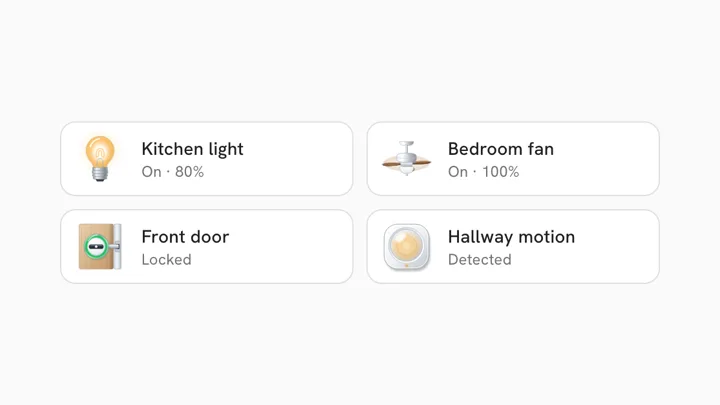
Lights, switches, sensors and more, to try Animara on your own dashboard.
On GitHub, or the easy way with one link: animara.io/install
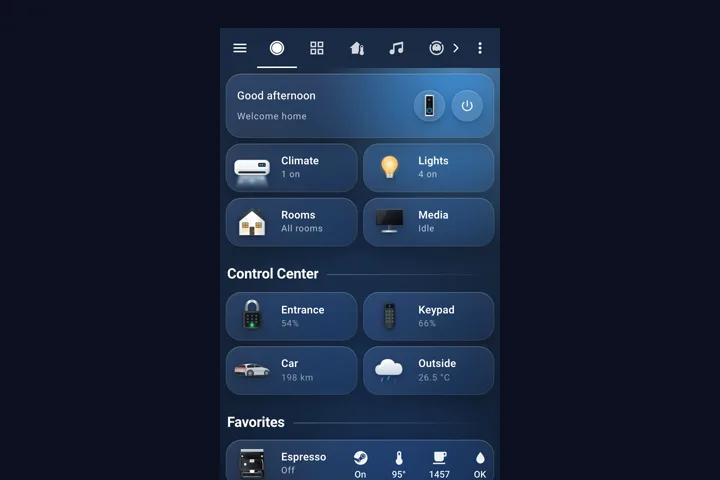
Every device, every state, for Home Assistant, openHAB and design work.
Secure checkout. Easy one link install: animara.io/install
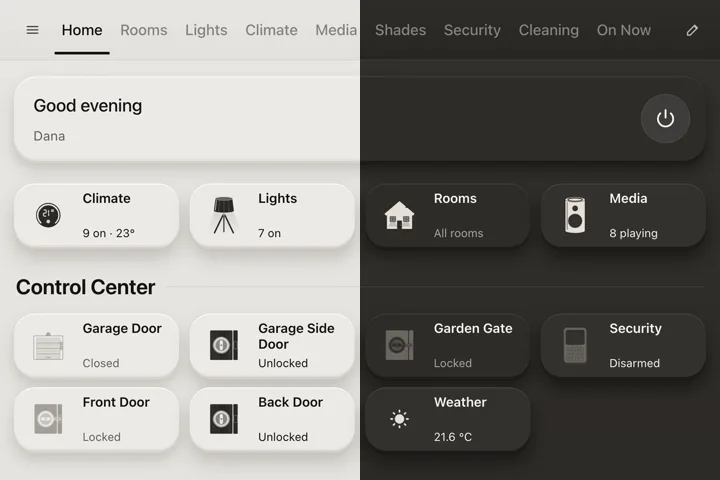
The same 307 animated devices in a calm, colourless flat look, for light and dark dashboards.
See every flat icon. Sold apart from the full pack, with its own easy install.
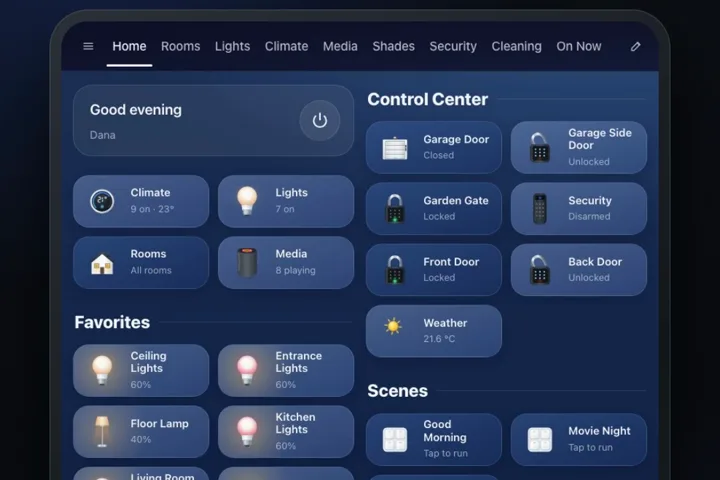
A dashboard that builds itself from your rooms and devices.
Secure checkout. Easy one link install.
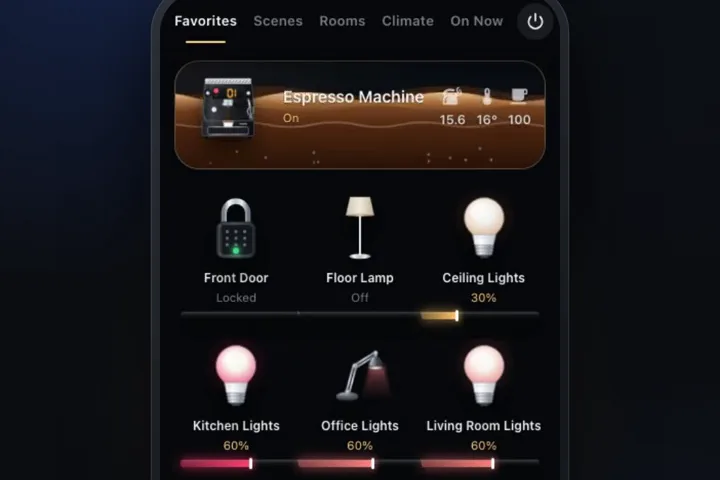
Your home on a wall screen, one device at a time.
Secure checkout. Easy one link install.
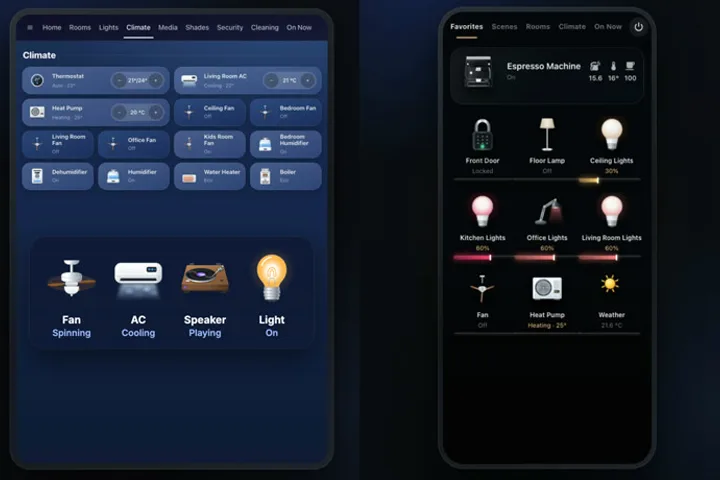
Both dashboards with all 307 icons. Save $19.
Secure checkout. Easy one link install.
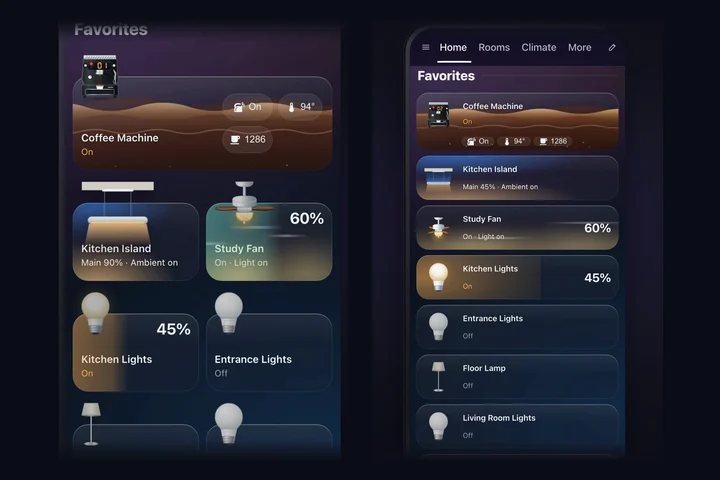
Two looks in one: Animara Float, icons floating above glass tiles, and Animara Glow, glass tiles that light up.
Secure checkout. Easy one link install. Try Animara Float live
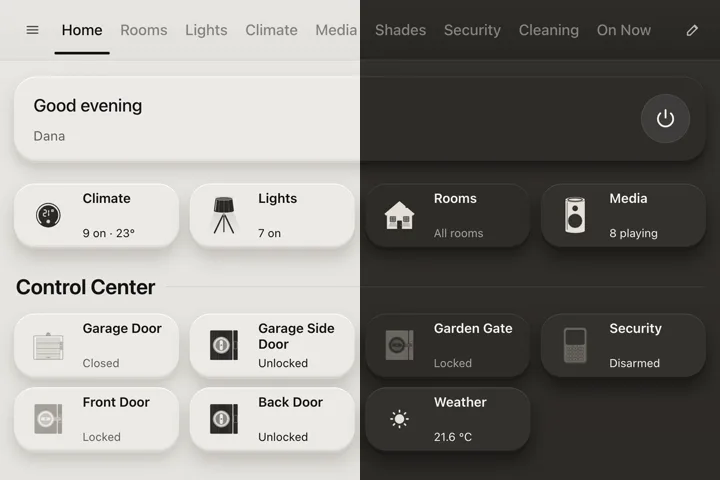
The same home that builds itself, calm and colourless: your rooms, devices and favourites, laid out like a native panel, with the flat icons that follow day and night.
Secure checkout. Easy one link install.
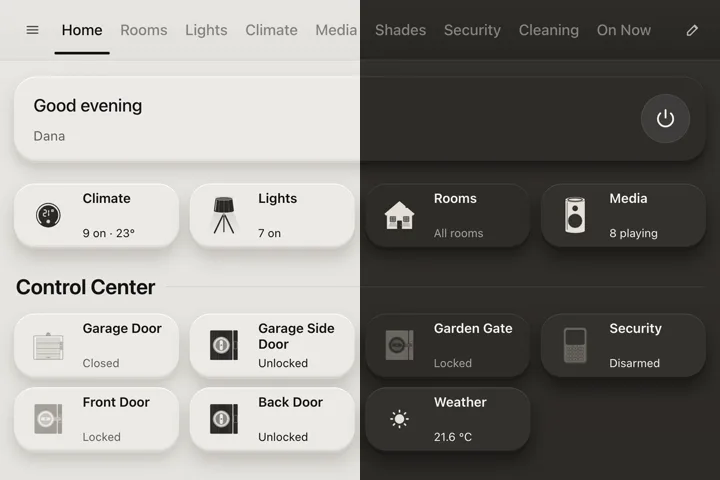
The Animara Flat icons in every card you use, the SVG files, and the Animara Flat dashboard together.
Secure checkout. Easy one link install.
Animara keeps growing. Every update is free and reaches your Home Assistant by itself.
1 November 2026Animara dashboards 0.38.8
After a week with Animara, one quiet card on Home asks if you would like to write a short review.
1 November 2026Animara dashboards 0.38.8
After a week with Animara, one quiet card on Home asks if you would like to write a short review.
1 November 2026Animara dashboards 0.38.7
In Float and Glow the buttons on a tile, like play, pause, next, the TV screen and the input, are a little bigger and easier to tap.
Anything else? Write to animara.icons@gmail.com and we will help.
Animara is a set of 307 realistic, animated device icons for Home Assistant, with 808 states in total. Each icon follows the state of its entity: the washer drum turns while it washes, the AC breathes out mist while it cools. Animara also sells two ready made Home Assistant dashboards, Animara Home and Animara Showroom.
Both cover the same 307 devices with every motion. The full pack is the colourful, realistic look and also includes standalone SVG files for openHAB and design work. Animara Flat is a calm, colourless flat look that follows your light or dark theme. They are sold separately, each with its own one link install.
Yes. Animara Home and Animara Showroom each include all 307 animated icons. Animara Complete includes both dashboards and the full pack.
All 307 animated device icons with 808 states, the Animara card for Home Assistant dashboards, and the standalone SVG files (one per state) for openHAB, websites and design work. You get a license key and a download link by email right after checkout.
The full pack is licensed for your own smart home: use it on your own Home Assistant or openHAB dashboards. You may not resell or redistribute the icon files. If you want to use the icons in client work or a commercial product, email us first. The free sampler is open source; its license is in the GitHub repository.
One license covers up to 3 homes (you can move it any time). The card activates your license key once and then keeps working offline.
Yes. New icons, new states and card improvements are free updates for everyone who owns the full pack. There is no subscription.
Yes. Write to animara.icons@gmail.com with the device you are missing. Custom icons are coming soon, and new devices are added to the full pack as free updates.
If Animara is not right for you, email us within 14 days of purchase for a full refund. The details are in our refund policy at animara.io/terms/#refunds.
No account is needed. The card only contacts the license server to activate your key; the icons themselves are built into the card file and render locally.
The card looks at the entity type, its device class and its name. A climate entity becomes the air conditioner, a binary sensor with the smoke class becomes the smoke detector, a switch called "Washer" becomes the washing machine. You can always pick a different icon from the dropdown.