How do I show each person in my home their own dashboard?
Published 22 November 2026
Short answer: Home Assistant has no "this dashboard is only for Dana" switch yet. But you can get very close in three steps: give each person their own default dashboard, hide the extra dashboards from their sidebar, and hide single cards from people who do not need them.
Step 1. Give each person their own default dashboard
An admin can set one starting dashboard for everyone: Settings > Dashboards, open the dashboard, Set as default.
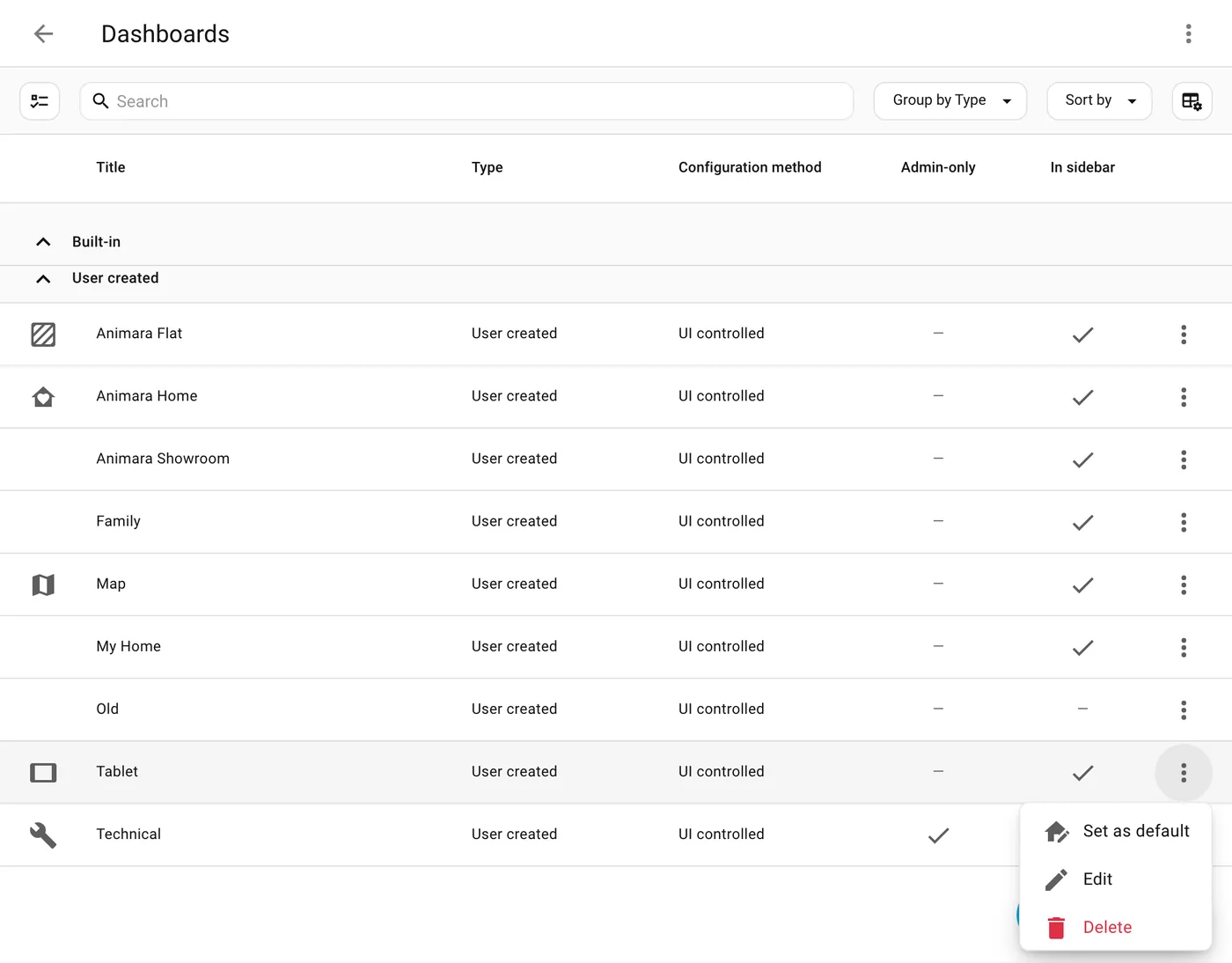
Each person can then pick their own: they open their User profile (their name at the bottom of the sidebar), go to Appearance, and choose a dashboard under Dashboard. The choice belongs to the person, so it follows them to every phone and tablet they sign in on.
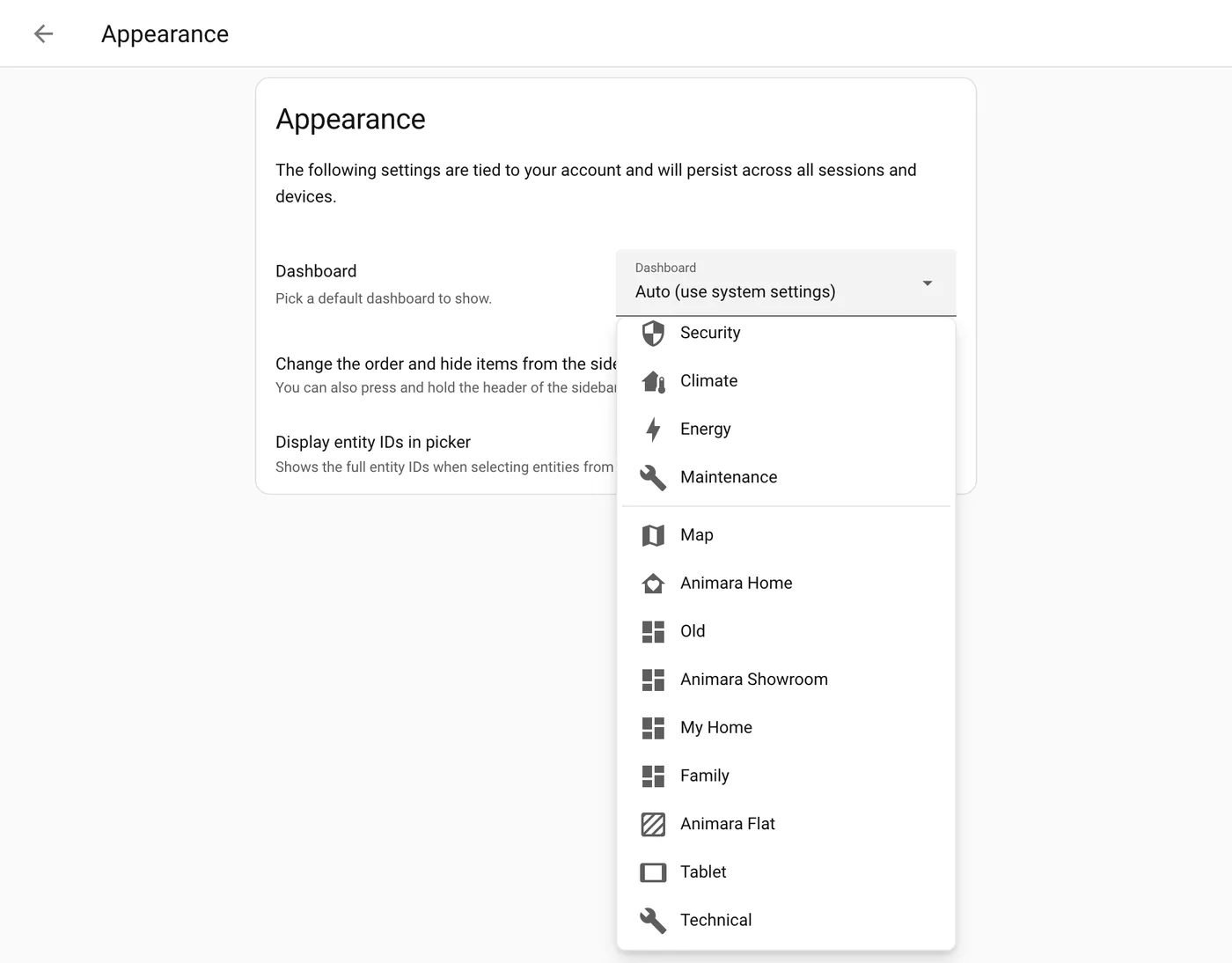
Tip for a wall tablet: make a separate user just for the tablet (for example "Hallway tablet") and give it the simple dashboard as default. The tablet then always opens on the right screen, even after a restart.
Step 2. Hide the dashboards a person does not need
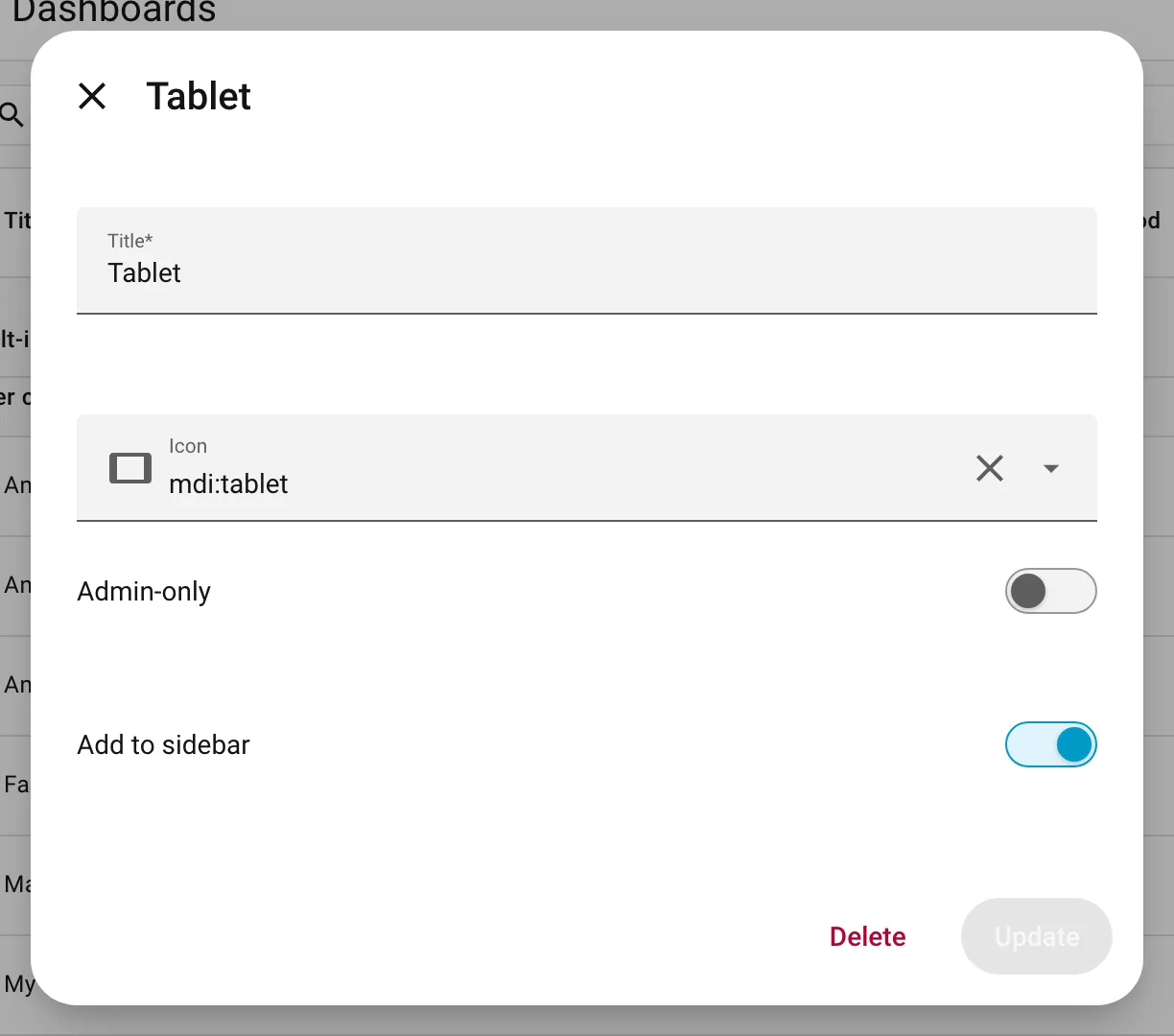
Two options, both in Settings > Dashboards, open the dashboard:
- Admin-only: only admin users can open it. Good for the "technical" dashboard with settings and batteries. (A dashboard that is set as the default cannot be admin-only.)
- Add to sidebar off: the dashboard is not in anyone's sidebar, but it still opens from a direct link.
Each person can also hide items from their own sidebar (see our sidebar guide).
Step 3. Show or hide single cards per person
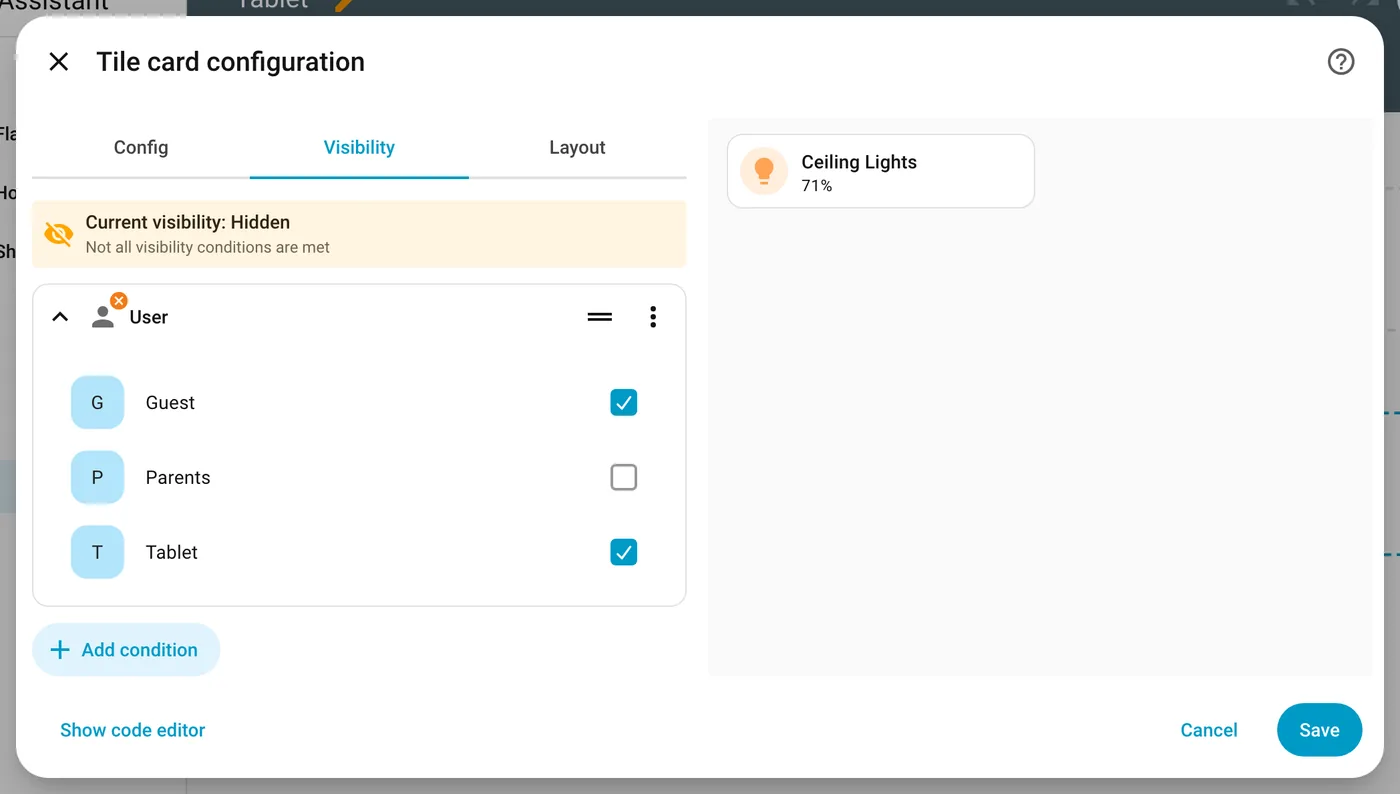
Open the dashboard, Edit dashboard, open a card, go to the Visibility tab, Add condition, choose User, and tick the people who should see it. Badges have the same tab.
Good to know:
- All conditions on a card must be true for it to show.
- The Visibility tab is not there for cards inside a vertical stack, horizontal stack or grid. Put the condition on the stack itself.
- Whole sections have the same Visibility tab with the User condition. A whole view has a Visibility tab too, where you choose which users see it in the top navigation.
- Hiding is about a tidy screen, not about security. A view hidden from someone only leaves their navigation, and a dashboard that is not admin-only still opens from a direct link.
Questions and answers
Can I give my kids a dashboard with only their room?
Yes. Make a dashboard with their room, set it as their default in their profile (Step 1), and set your own dashboards to admin only if their accounts are not admins (Step 2).
Can I hide a whole dashboard from one person but not another?
Not directly in Home Assistant 2026.11. You can make it admin only, or remove it from the sidebar for everyone and let each person hide it from their own sidebar. A per person setting was asked for on the forum in November 2026.
Will my wall tablet keep showing the right dashboard?
Yes, if the tablet signs in as its own user with its own default dashboard.
Does every person need the same look?
No. Each dashboard can have its own theme and cards. Many families keep a big, simple one for the tablet and a detailed one for the admin.